Web Design Leads for Free: How to Qualify the Right Prospects
How web designers can use a free lead sprint to find businesses with real website gaps, not just names in a spreadsheet.

Turn one search into qualified lead actions
Use iCloseLeads to search prospects, save proof-backed matches, build a website concept or proposal, call when appropriate, and track follow-up.
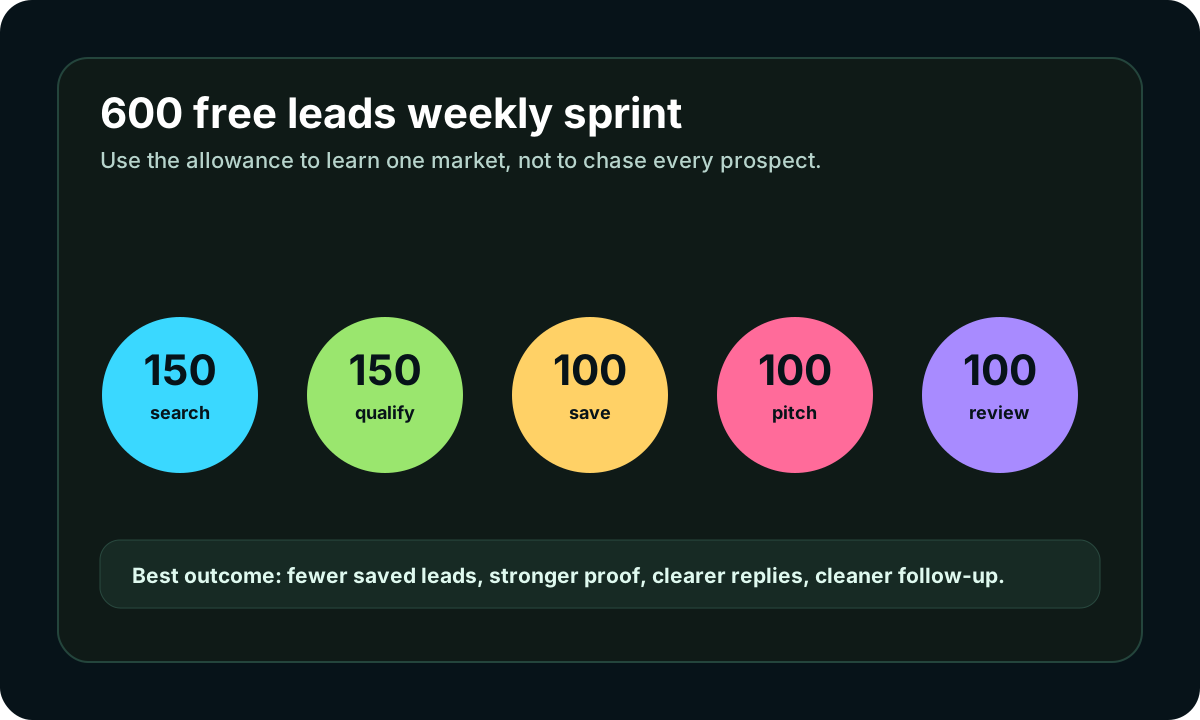
New accounts currently receive up to 600 lead results during the 3-day trial. Use them for qualification and follow-up, not mass outreach.
Start free with iCloseLeads- 1Choose one buyer
Pick one niche, city, or service offer before searching.
- 2Find visible proof
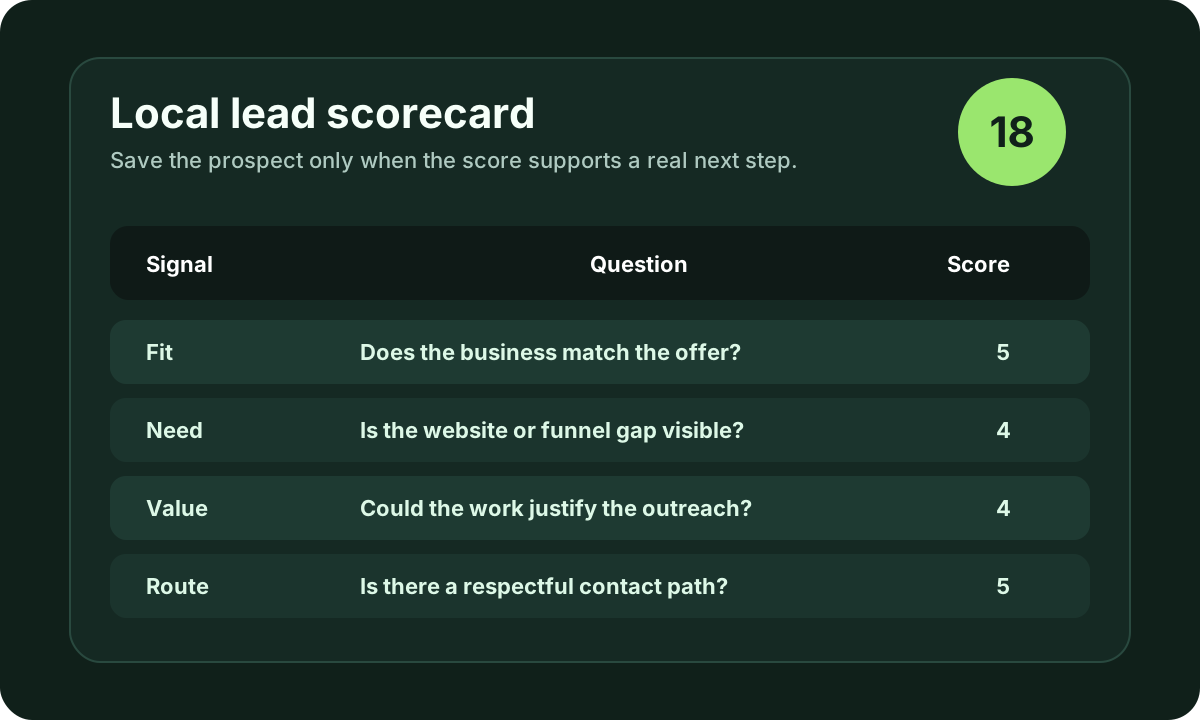
Save only prospects with a clear business signal and contact route.
- 3Create the next action
Use a proposal, website concept, softphone call, or CRM task.
- 4Review outcomes
Measure replies, calls, and booked opportunities before scaling.
People searching for web design leads for free usually do not want theory. They want prospects they can actually contact.
The mistake is treating a free lead search as a volume game. A list of 600 businesses is only useful if the strongest few have a reason to hear from you.
Short answer
Use the free lead allowance to qualify prospects, not to blast them. Search one niche, look for visible website gaps, save the proof, and pitch one practical improvement.
What counts as a good web design lead?
Strong web design leads often show one of these signals:
- no website connected to an active local profile
- old design on mobile
- no clear call, quote, or booking route
- active reviews but weak trust proof on the website
- service pages that do not match what buyers search
- competitors with clearer landing pages
The first-message angle
Do not say, "I build websites." Say what you found:
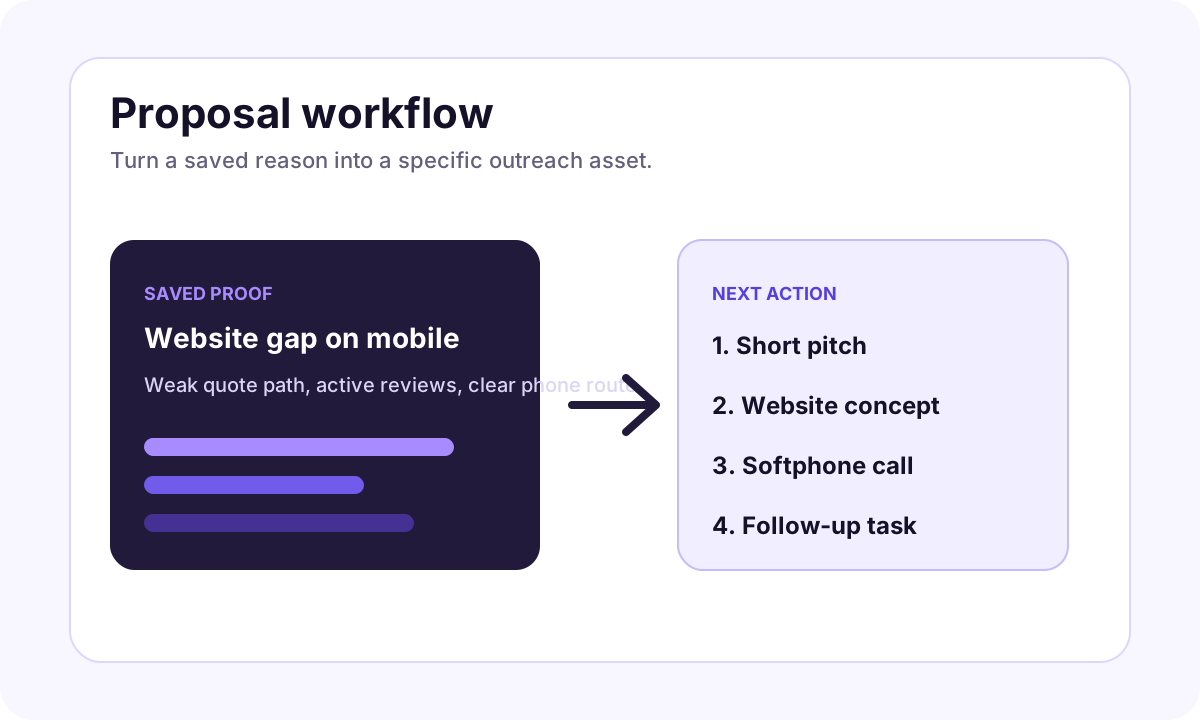
"I noticed your listing is active, but the website makes it hard to request a quote on mobile. I put together a short concept showing a simpler first screen. Want me to send it?"
That message is still simple, but it is based on proof.
How iCloseLeads supports it
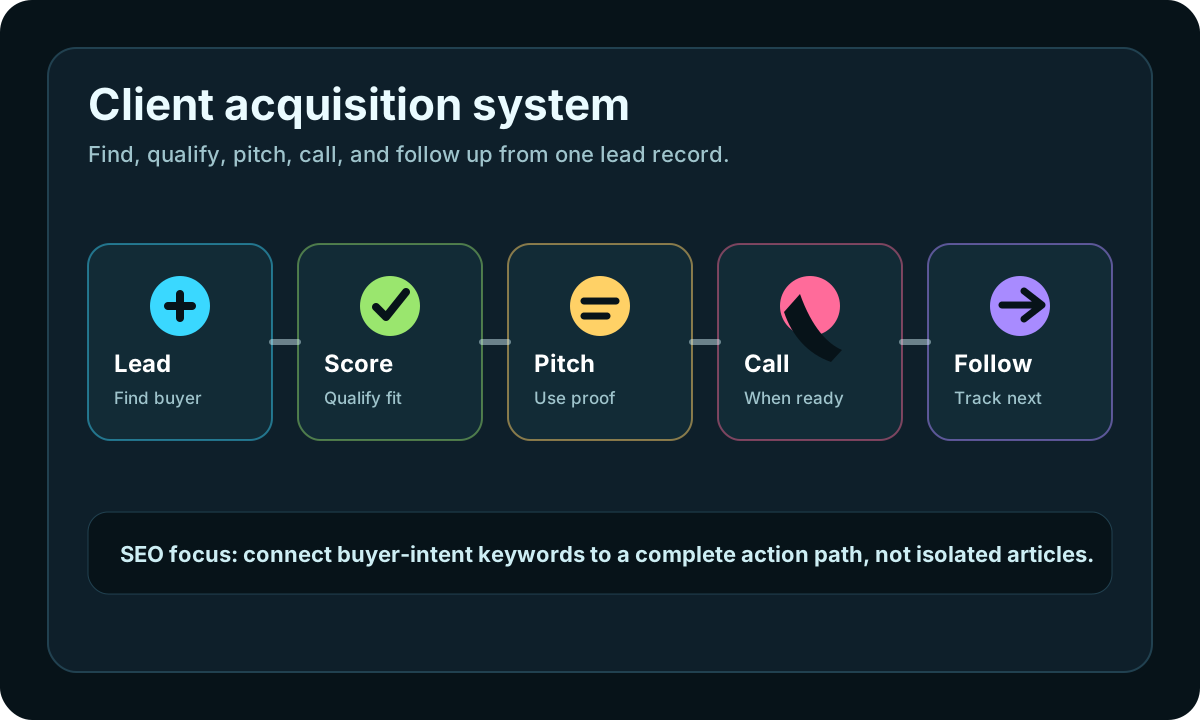
Start at web design leads, save only prospects with a visible gap, generate a small concept in the web design generator, then track follow-up in the CRM pipeline. If the business is phone-first, use softphone calling after qualification.
Visual workflow
See the system before you build it
Turn the article into a lead workflow
Use the idea from this guide to find prospects, save only the best opportunities, prepare a specific pitch, and keep the follow-up attached to the original lead. Free users can start with 600 lead searches, then use the first saved lead as the test.
iCloseLeads Team
We study what works in freelance client acquisition so you don't have to. Subscribe for weekly insights.


