Softphone Lead Calling Workflow for Freelancers
A practical workflow for using a US, Canada, or UK business number after a lead is qualified, with call prep, proof, and follow-up.

Use the free trial to build one qualified lead sprint
Search focused prospects, save only proof-backed matches, and move the best leads into proposals, softphone calls, or CRM follow-up.
Free accounts currently receive up to 600 lead results during the 3-day trial. Use that capacity for qualification, not mass outreach.
Start free with iCloseLeads- 1Pick one offer
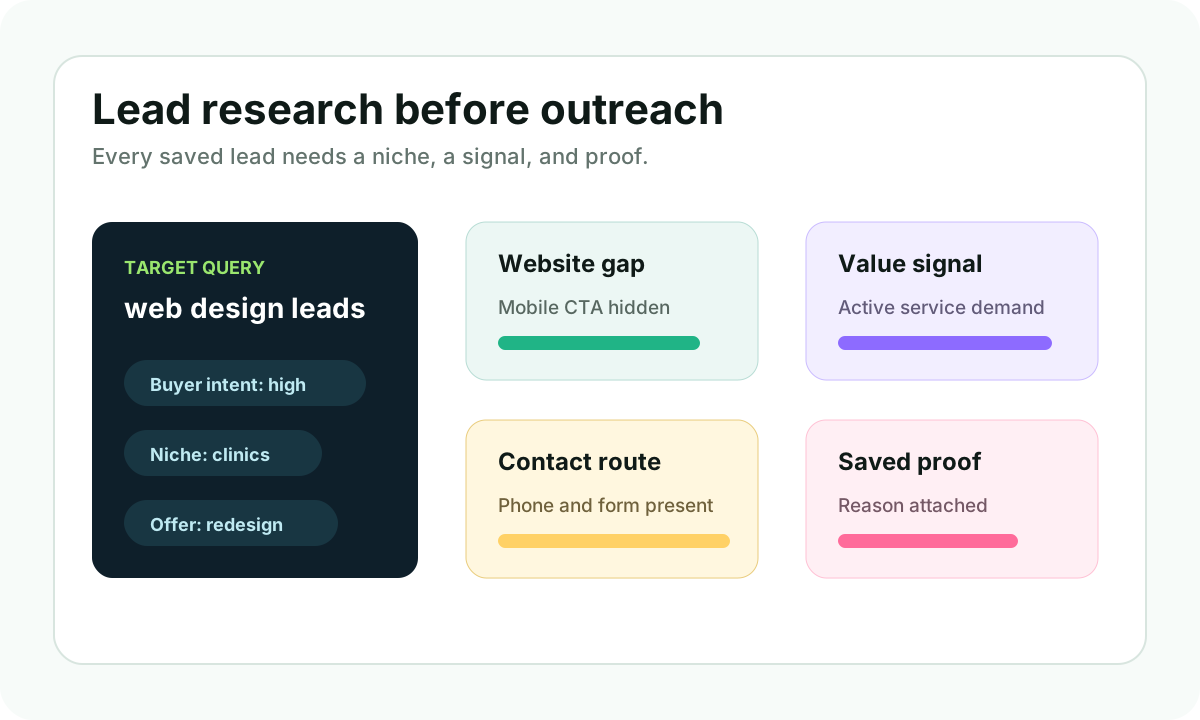
Choose the service, niche, and buying signal before searching.
- 2Save the proof
Keep the public website, profile, hiring, or contact evidence with the lead.
- 3Choose the route
Use email, softphone, proposal, or CRM only when the contact path fits.
- 4Review outcomes
Track replies and calls before expanding the next search.
Freelancers do not need more random phone numbers. They need a reason to call.
iCloseLeads now supports softphone calling for freelancers and small agencies that want a US, Canada, or UK business number connected to their lead workflow. That creates a stronger path for searches like lead calling software for freelancers, business phone number for freelancers, call local business leads, and client acquisition phone workflow.
Short answer
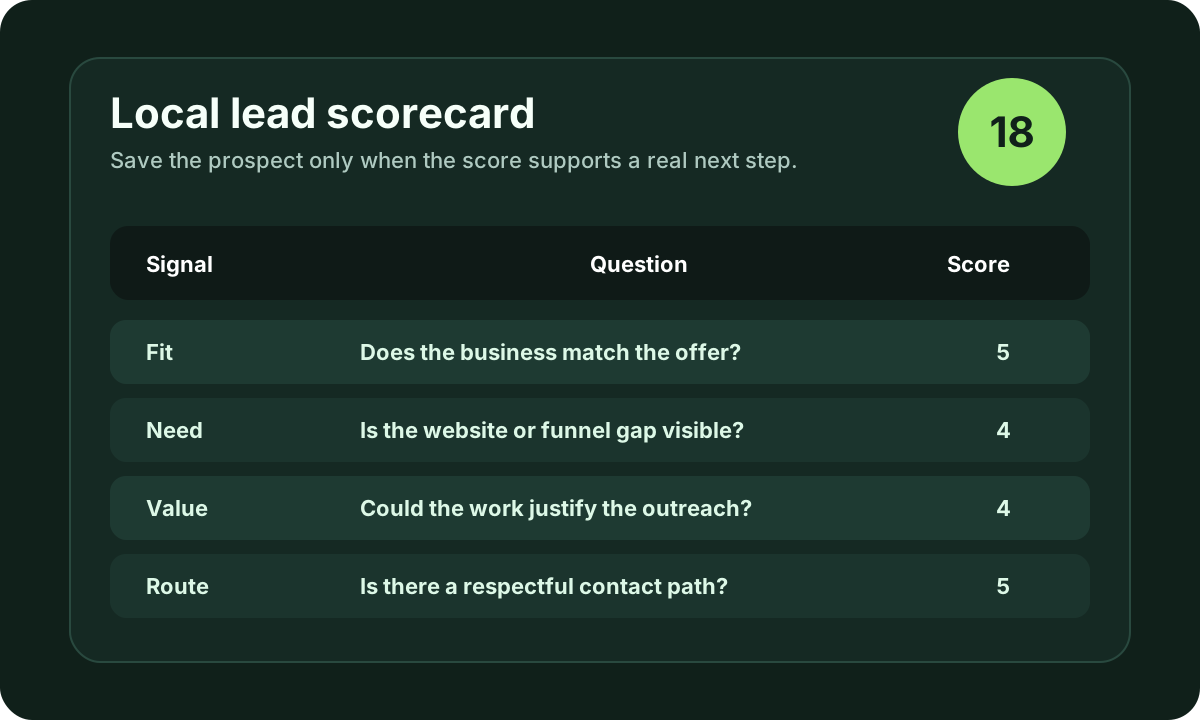
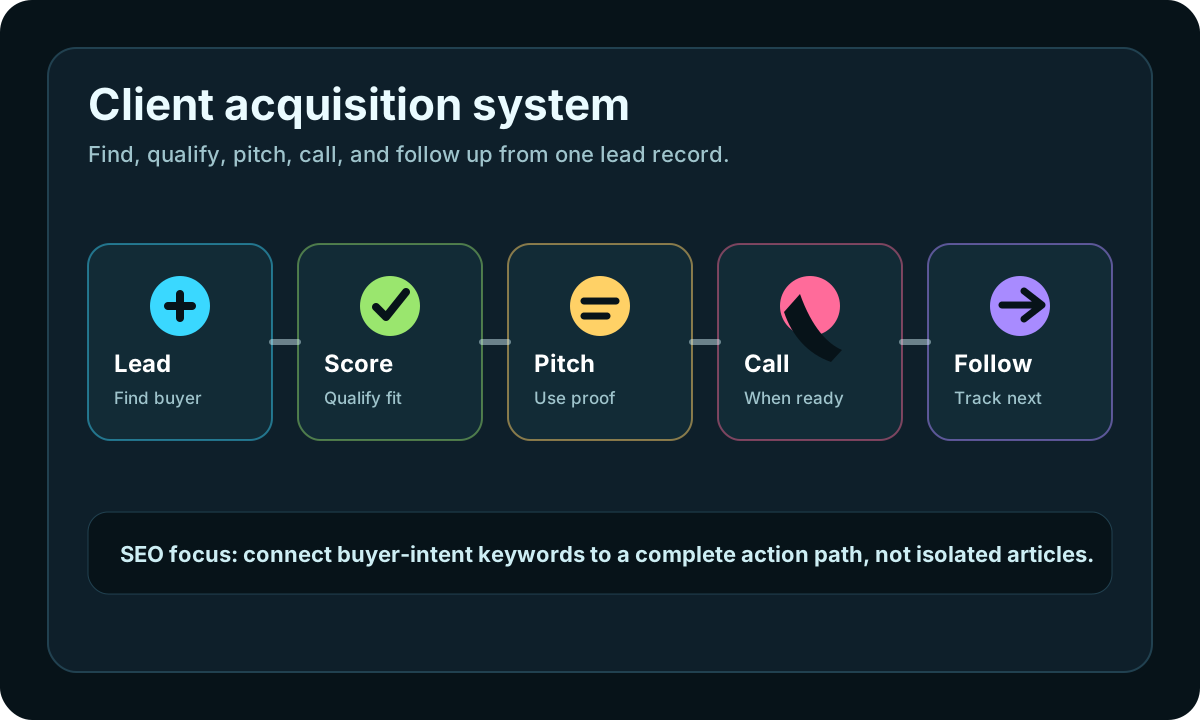
Use softphone calling after qualification, not before it. Find a prospect, confirm the business fit, save the public proof, prepare a short opener, and then call only when the route is appropriate. The softphone should help a freelancer move faster from research to conversation without losing context.
Why softphone works better after lead research
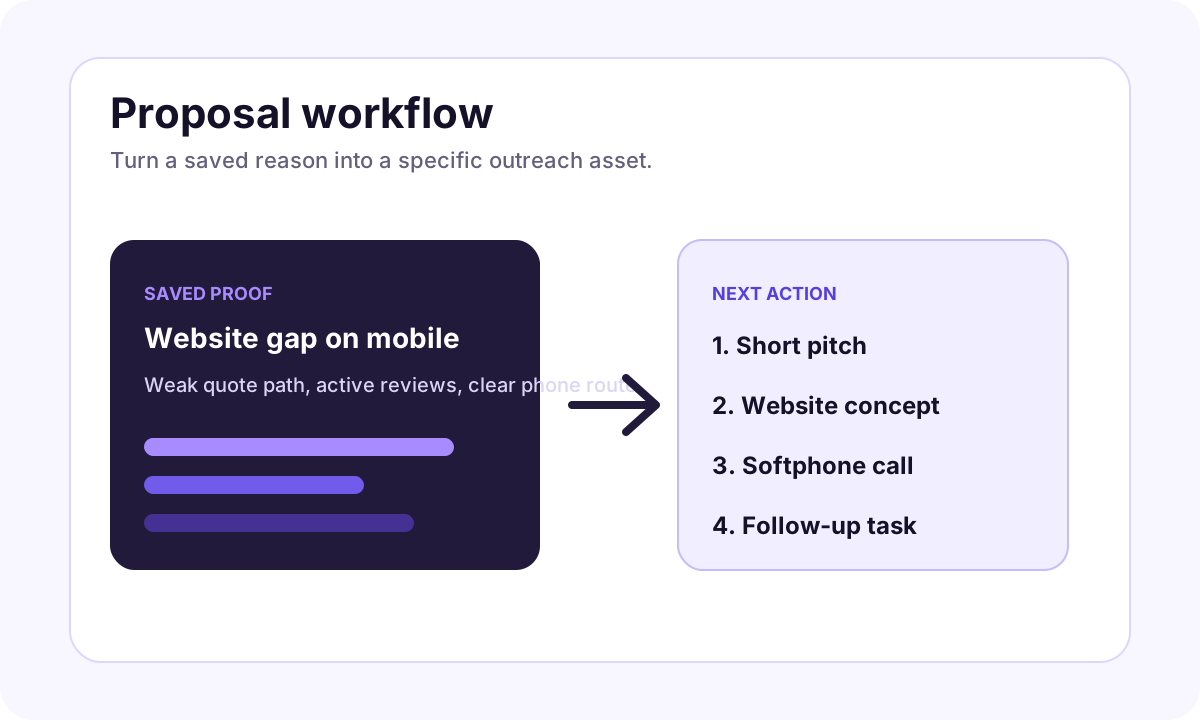
Cold calling fails when the caller sounds detached from the business. The strongest calls start with a real observation:
- a local service business has no clear quote path
- a website hides its phone number on mobile
- a company is hiring for a role that reveals a workflow gap
- a Google profile is active but the website does not support the same demand
- a freelancer can offer a small fix, audit, landing page, or campaign
That is why the order matters. Lead discovery comes first. Qualification comes second. The call comes third.
The iCloseLeads calling workflow
Start by choosing one service and one market. For example, web design for med spas, SEO audits for dentists, appointment funnels for clinics, or landing pages for local home-service companies.
Then search for prospects and save only the leads with visible proof. Before calling, write one sentence that explains why this business is worth contacting. If you cannot write that sentence, do not call yet.
The softphone step should be simple:
- Open the saved lead.
- Review the proof and notes.
- Choose the US, Canada, or UK number that fits the campaign.
- Call with a short, respectful opener.
- Log the result and set a follow-up.
A simple call opener
Try this structure:
"Hi, this is [name]. I was looking at [business] because I help [type of business] improve [result]. I noticed [specific public signal]. Is there a better person to speak with about that?"
That line is short because the goal is not to pitch the full service in the first ten seconds. The goal is to make the call relevant enough for the person to decide whether to continue.
When not to call
Skip the call when the prospect has no visible fit, no business-facing contact route, or no obvious reason to care. Also skip anything that would violate local rules, platform terms, or the prospect's stated preferences.
Responsible outreach protects the freelancer's reputation and keeps the campaign useful.
Where this fits in the pipeline
Softphone calling is most useful for high-intent local businesses, appointment-led services, and offers where a quick conversation clarifies fit faster than a long email. It pairs well with lead discovery, AI proposals, CRM follow-up, and the web design generator for visual proof.
Start with the free trial, use up to 600 lead results to build a focused prospect list, and call only the leads that pass qualification.
Visual workflow
See the system before you build it
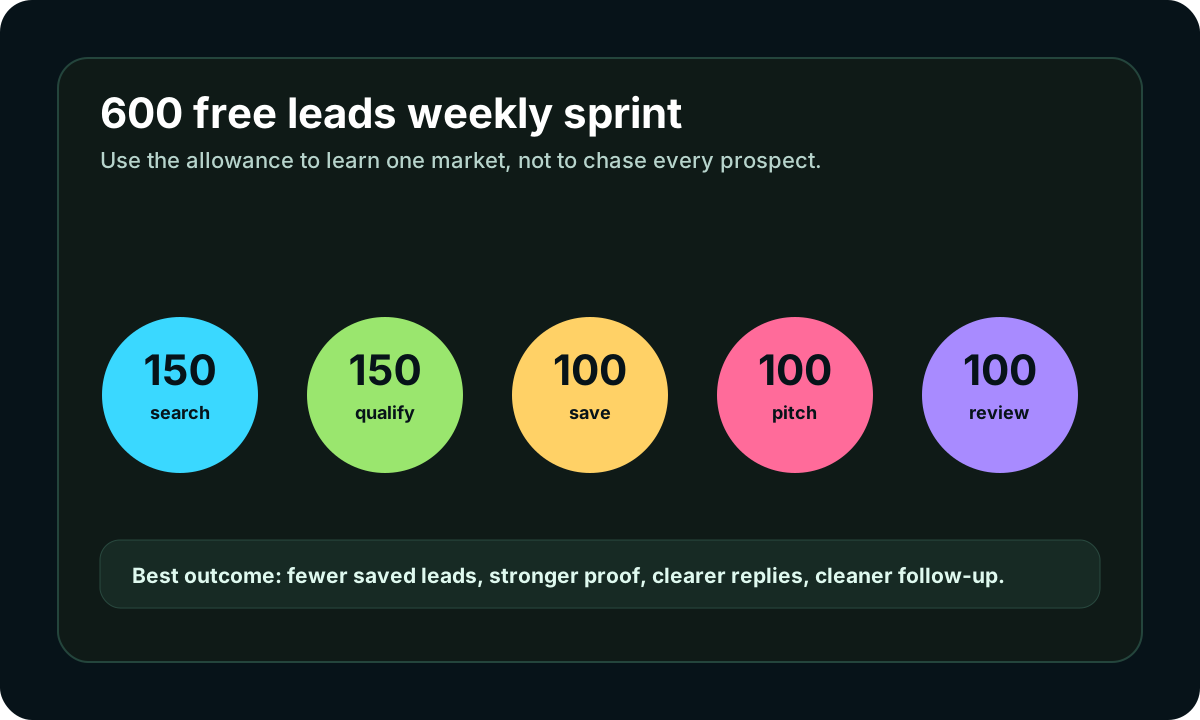
Turn the article into a lead workflow
Use the idea from this guide to find prospects, save only the best opportunities, prepare a specific pitch, and keep the follow-up attached to the original lead. Free users can start with 600 lead searches, then use the first saved lead as the test.
iCloseLeads Team
We study what works in freelance client acquisition so you don't have to. Subscribe for weekly insights.


