Softphone for Sales Teams: Turn Qualified Leads Into Better First Calls
A practical softphone workflow for freelancers, agencies, and lean sales teams that want to call qualified leads with context instead of dialing cold lists.

Call qualified leads from the same workspace
Use the free lead workflow first, save proof, then add calling when the prospect deserves a live conversation.
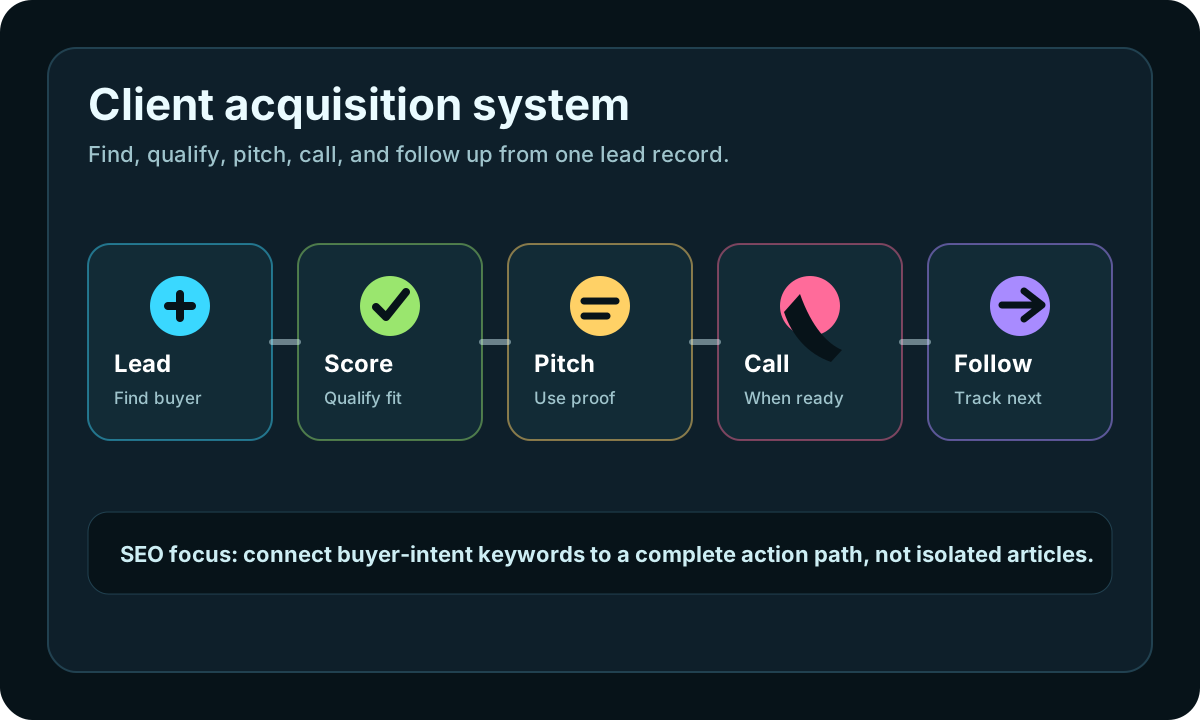
iCloseLeads is built around a review-first workflow: search, qualify, save proof, draft the next action, and follow up without sending blind outreach.
Start finding call-ready leads- 1Pick the market
Choose one niche, buyer problem, or lead type before you search.
- 2Find proof
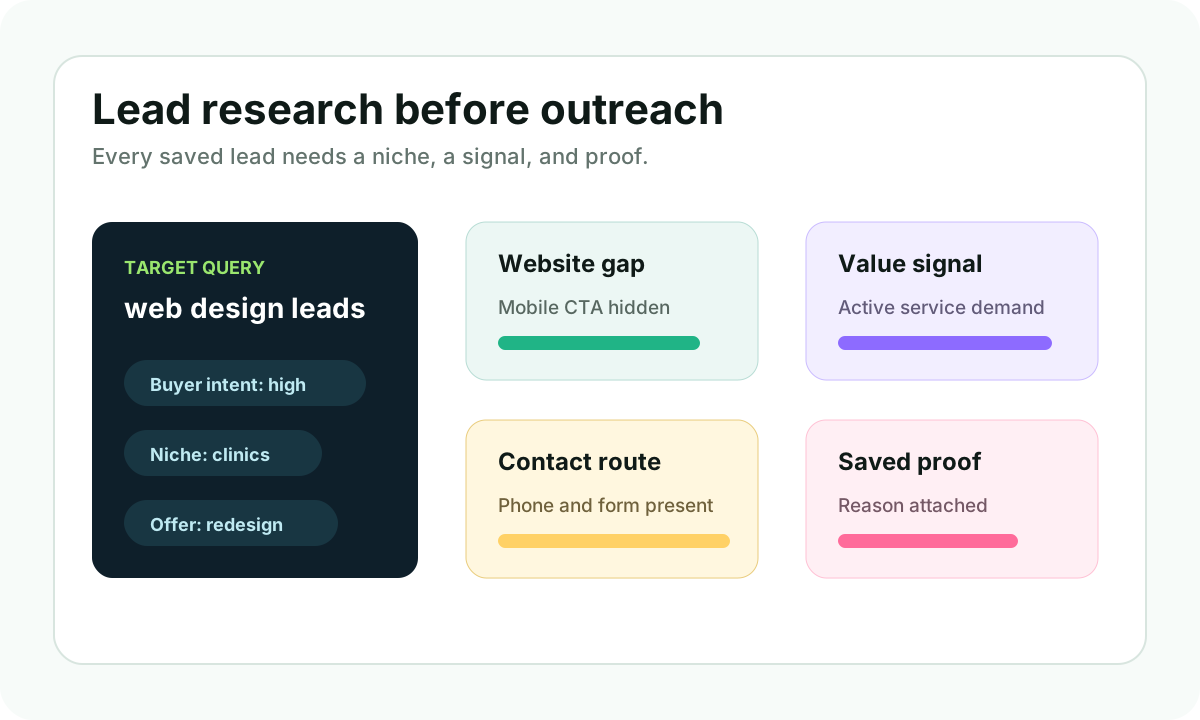
Look for a visible website gap, contact route, hiring signal, or local demand pattern.
- 3Take one action
Prepare a message, make a call, or create a website concept from the saved context.
- 4Measure replies
Track which niche and pitch angle created real conversations.
Searchers looking for a softphone for sales teams usually want more than a dial pad. They want a cleaner way to move from lead research to live conversations without losing context.
For freelancers and small agencies, that context matters even more. A phone call only makes sense after the lead has been qualified, the reason to reach out is clear, and the next step is easy to record.
Short answer
A softphone for sales teams is useful when it connects calling to lead qualification, saved proof, and follow-up. In iCloseLeads, the better workflow is to find a prospect, save the business reason, use a dedicated US, Canada, or UK number when calling is appropriate, and keep the call outcome attached to the lead record.
Why this keyword matters
The search intent behind softphone for sales teams is commercial. People are comparing tools that help them call prospects, manage phone numbers, and keep outreach organized. The mistake is treating the phone tool as the strategy.
The strategy is this:
- Find prospects with a visible business reason to talk.
- Save the evidence before calling.
- Use a professional number instead of a personal line.
- Open the call with one useful observation.
- Track the result in the same workflow.
That is why iCloseLeads connects lead discovery, softphone calling, AI proposals, and CRM follow-up. A calling feature is strongest when it lives beside the lead context.
When a call is better than email
Email is often better for detailed proposals, screenshots, and links. Calling is better when the buyer is local, phone-first, urgent, or likely to understand the problem faster in conversation.
Good call-fit examples:
- A contractor with strong reviews but no clear quote path.
- A dental clinic with a working phone line and thin service pages.
- A med spa with active local demand and unclear booking flow.
- A local service business where the owner route is easier by phone.
- A web design lead where the website problem can be explained in one sentence.
Do not call every lead just because the number is visible. Call when the business fit, timing, and reason are strong.
A context-first calling workflow
1. Search by offer
Start with one offer. For example, web design for clinics, local SEO for home service companies, or booking-page improvements for med spas. Broad searching creates weak calls.
2. Score the prospect
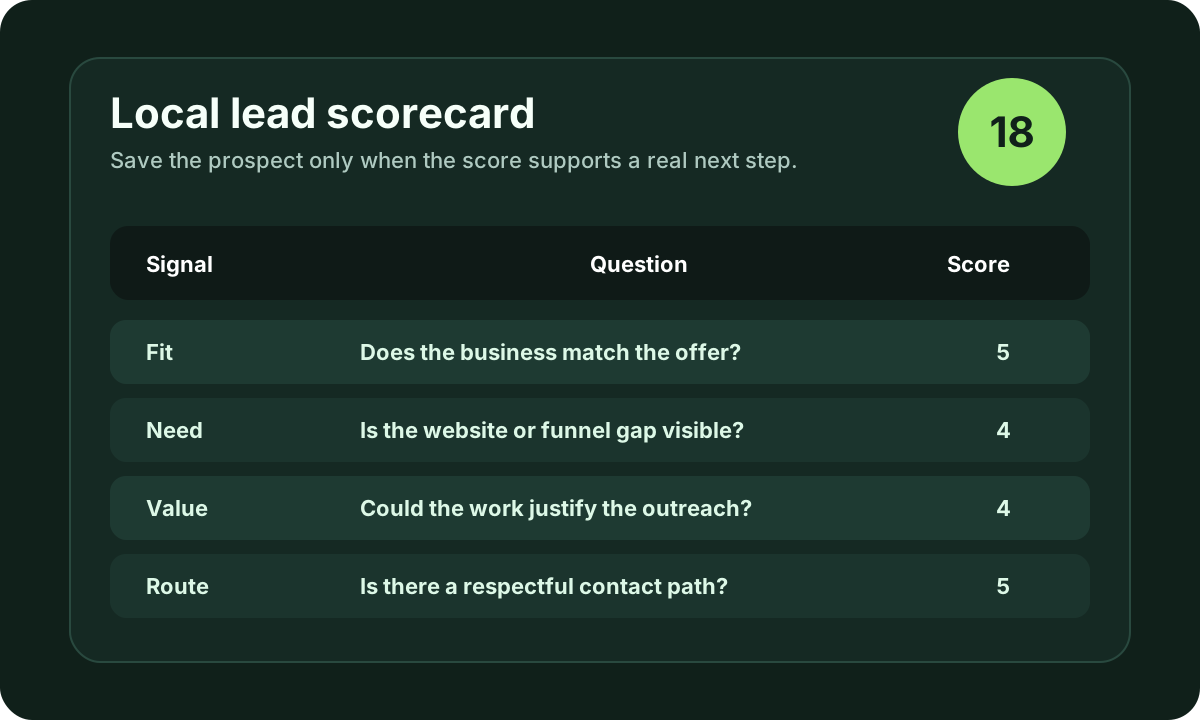
Before calling, check fit, visible need, public proof, likely value, and contact route. If the lead does not pass that score, save it for later or skip it.
3. Write the one-sentence reason
The opener should not be a script. It should be a real observation:
"I noticed your business profile is active, but the website makes quote requests harder than it should be on mobile."
That is specific enough to start a useful conversation.
4. Call respectfully
Use normal business hours, identify yourself clearly, and respect opt-outs. For US outreach, review the official FTC CAN-SPAM guidance for email and keep phone outreach conservative, permission-aware, and business-relevant.
5. Log the result
The call result should not disappear into memory. Mark the lead as contacted, add the objection or next step, and schedule a follow-up only when it is appropriate.
Softphone plus web design leads
The softphone workflow is especially useful for web designers because many local business owners still respond faster to a simple call than to a long email. Pair it with web design leads research and the AI web design generator when a visual concept would make the pitch easier to understand.
The best sequence is:
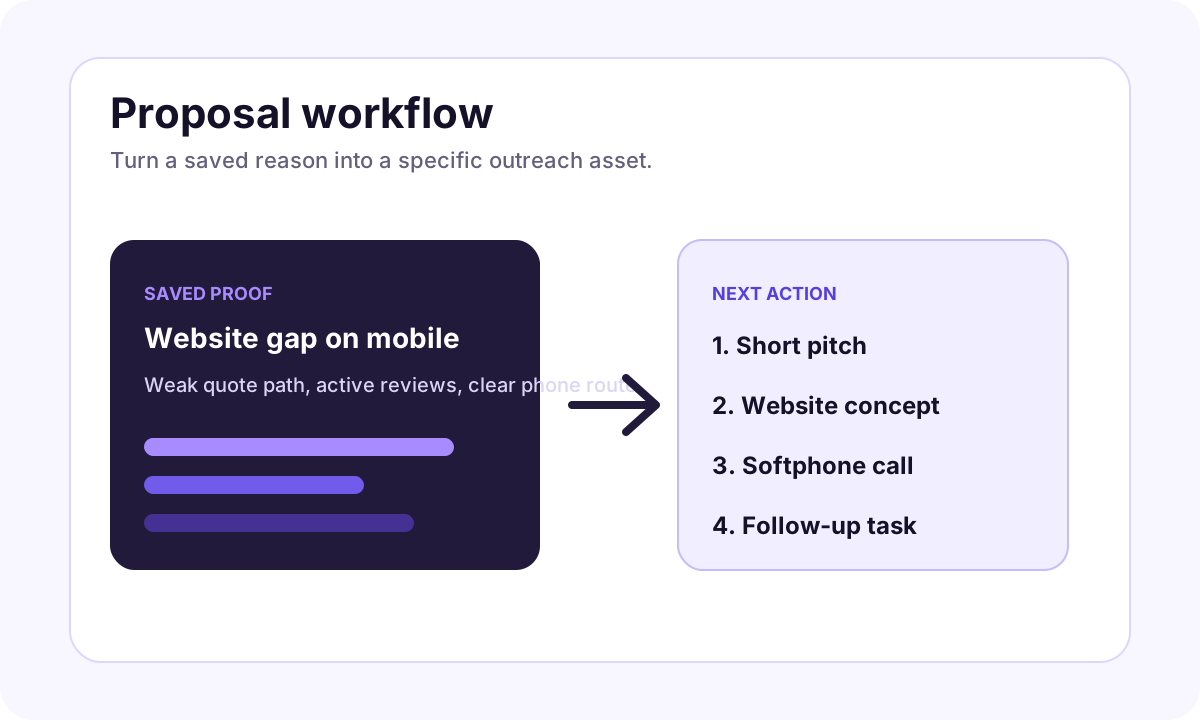
- Find a business with a clear website gap.
- Save the proof.
- Generate a simple website direction.
- Call with one useful observation.
- Offer to send the short concept after the call.
That keeps the conversation helpful instead of pushy.
Final takeaway
A softphone for sales teams should not encourage random dialing. It should help a freelancer or agency call the right prospects with the right context. Use iCloseLeads to search, qualify, call only when it makes sense, and keep follow-up attached to the business reason that started the conversation.
Visual workflow
See the system before you build it
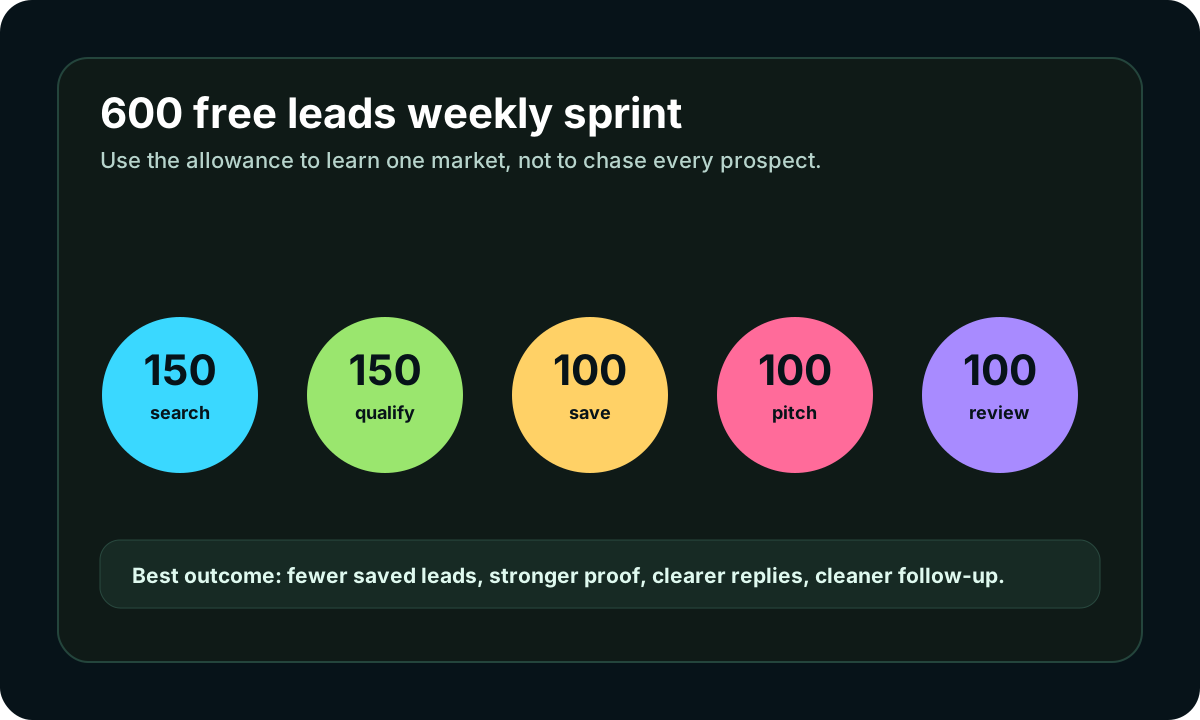
Turn the article into a lead workflow
Use the idea from this guide to find prospects, save only the best opportunities, prepare a specific pitch, and keep the follow-up attached to the original lead. Free users can start with 600 lead searches, then use the first saved lead as the test.
iCloseLeads Team
We study what works in freelance client acquisition so you don't have to. Subscribe for weekly insights.


