Free Business Leads for Freelancers: Use 600 Weekly Searches Without Wasting Them
A DataForSEO-backed workflow for free business leads, business leads free, small business leads, and free lead lists that turns search volume into qualified conversations.

Start with free business leads that have proof
Run a focused weekly search, save only the prospects with visible business signals, and turn the strongest matches into outreach or calls.
Use the free weekly allowance as research capacity: pick one offer, find visible buyer signals, save only qualified prospects, and follow up from the same workflow.
Test 600 lead results free- 1Choose one buyer
Pick a niche, city, or job type before searching so every result has context.
- 2Find the signal
Look for website gaps, hiring demand, phone routes, weak booking paths, or a clear business problem.
- 3Save the proof
Keep the reason, page, profile, or job detail that makes the lead worth contacting.
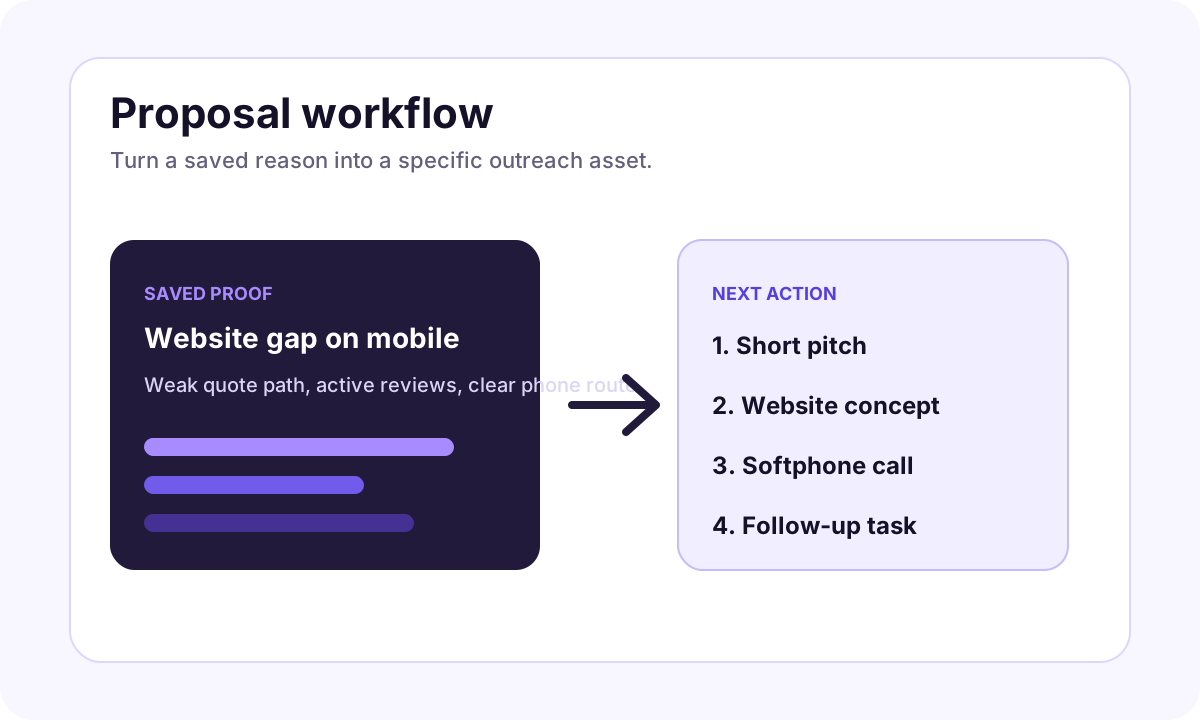
- 4Move to action
Draft a message, open the softphone when calling fits, or create a website concept for the prospect.
Search demand around free business leads is smaller than giant software keywords, but it is extremely commercial. DataForSEO showed the core variants business leads free, free business leads, free leads for business, business leads for free, small business leads free, free leads list for business, and business leads database free with high CPC signals in the United States.
That is the exact kind of query iCloseLeads should answer: people want leads, they do not want to buy a blind list, and they need a practical way to decide which businesses are worth contacting.
Short answer
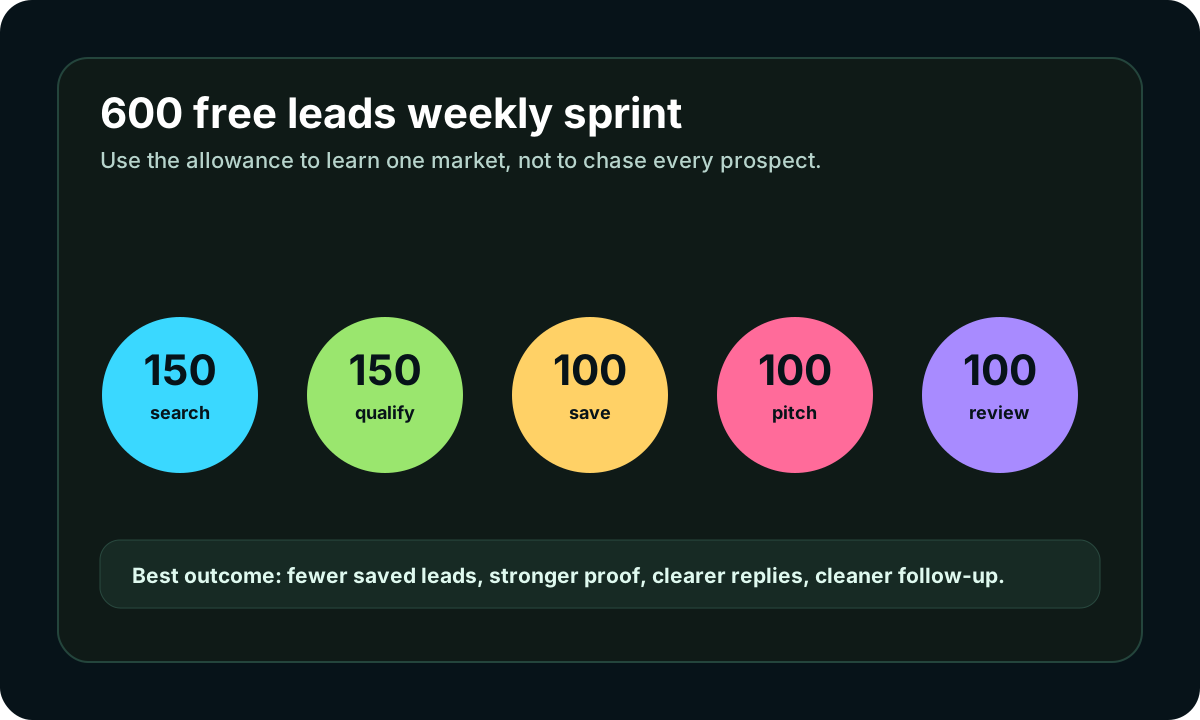
Free business leads work when you use them as a qualification system, not a mass-spam list. iCloseLeads gives free users 600 weekly lead searches so freelancers can test one market, save the businesses with visible proof, and turn the best few into outreach, softphone calls, website concepts, or CRM follow-up.
Why free business lead searches can convert
The competitors in the search results mostly promise a tool, a database, a free monthly sample, or a huge verified contact list. That creates an opening for iCloseLeads because freelancers do not only need more records. They need a reason to reach out.
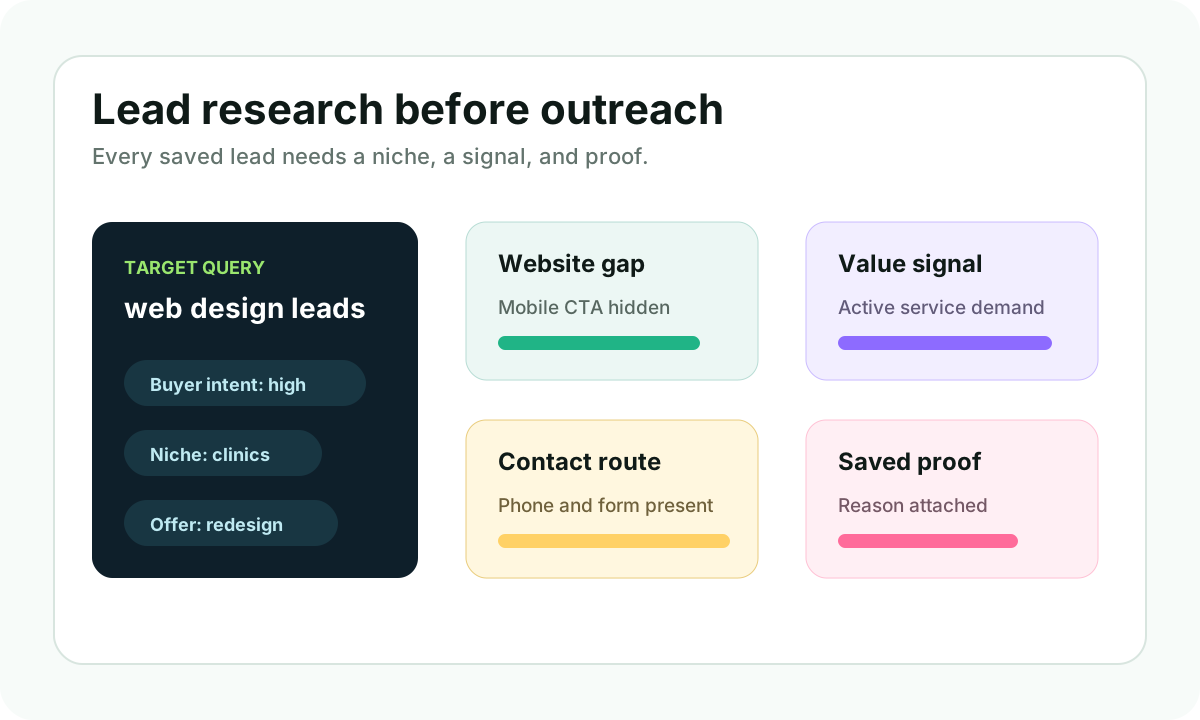
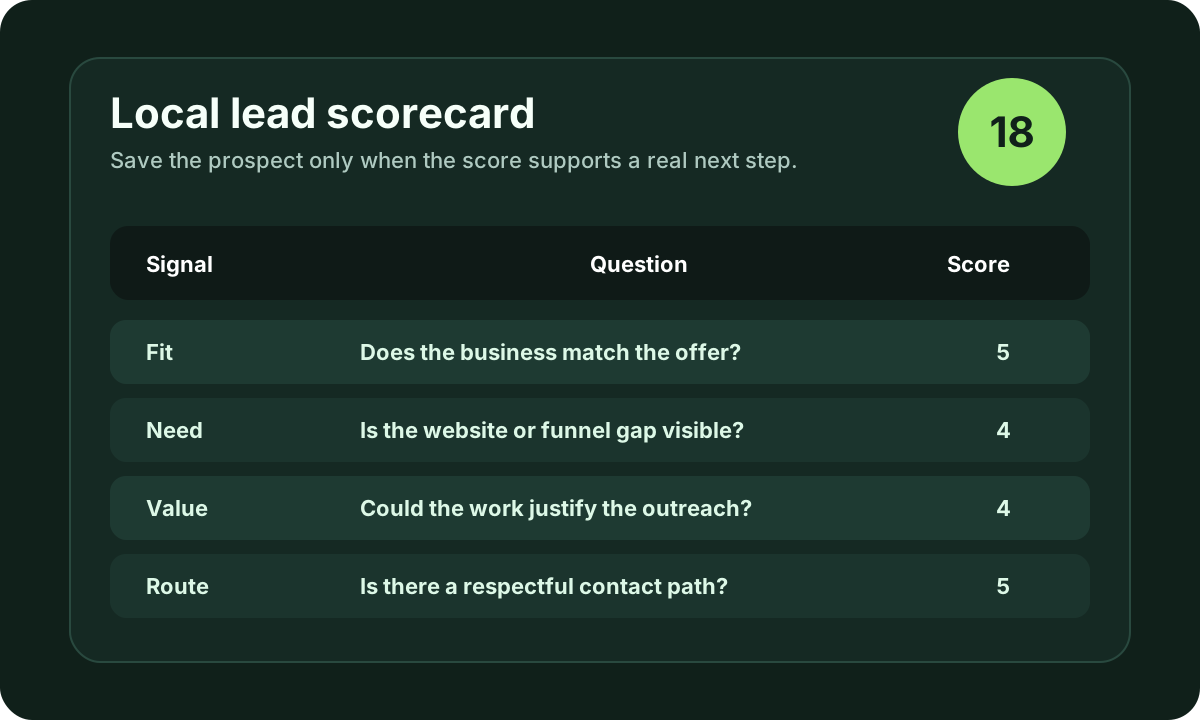
A free lead is useful when it includes:
- buyer fit
- visible business need
- public contact route
- timing signal
- a first offer angle
Without those five pieces, a free lead turns into another row in a spreadsheet. With them, the same search can become a first conversation.
A practical weekly workflow
Use the 600 weekly searches in three focused blocks.
First, spend 200 searches on one local category. A web designer could test dentists, med spas, roofers, remodelers, or local service businesses with weak websites. A marketer could test businesses with active reviews but no strong booking or quote page.
Second, spend 200 searches on a service signal. Search for no website, outdated website, weak Google profile path, hiring demand, or companies already looking for website, SEO, sales, or marketing help.
Third, spend 200 searches on verification. This is where you check the business website, public profile, phone route, owner path, and pitch angle before saving the lead.
The goal is not 600 messages. A strong week may produce 30 saved leads, 12 drafted messages, 5 calls, and a few clean follow-ups.
What to avoid
Do not buy or copy a free business leads database and send the same pitch to every company. That is the fastest way to waste the searcher intent that brought people to the page.
Also avoid promising that every free lead is verified or ready to buy. A better promise is more honest: iCloseLeads helps you find and qualify business leads faster, then gives you the tools to decide what to do next.
How iCloseLeads turns the query into a funnel
Start with local business leads when the buyer is local. Use web design leads when the visible gap is the website. Use softphone calling when the phone route is public and the prospect is likely to prefer a call. Use AI website concepts when the pitch needs a concrete visual direction.
Example lead angle
Instead of writing, "I provide web design services," write from the public signal:
"I found your business while checking local service companies with active reviews and weak mobile quote paths. Your profile already shows customer demand, but the website could make the next step clearer. Would it help if I sent a short 3-point improvement idea?"
That message is still simple, but it gives the prospect a reason to understand why you reached out.
Final takeaway
The best free business leads are not the biggest lists. They are the leads where you can explain the buyer, the proof, the offer, and the next step in one minute. Use the 600 weekly searches to find those, not to create noise.
Visual workflow
See the system before you build it
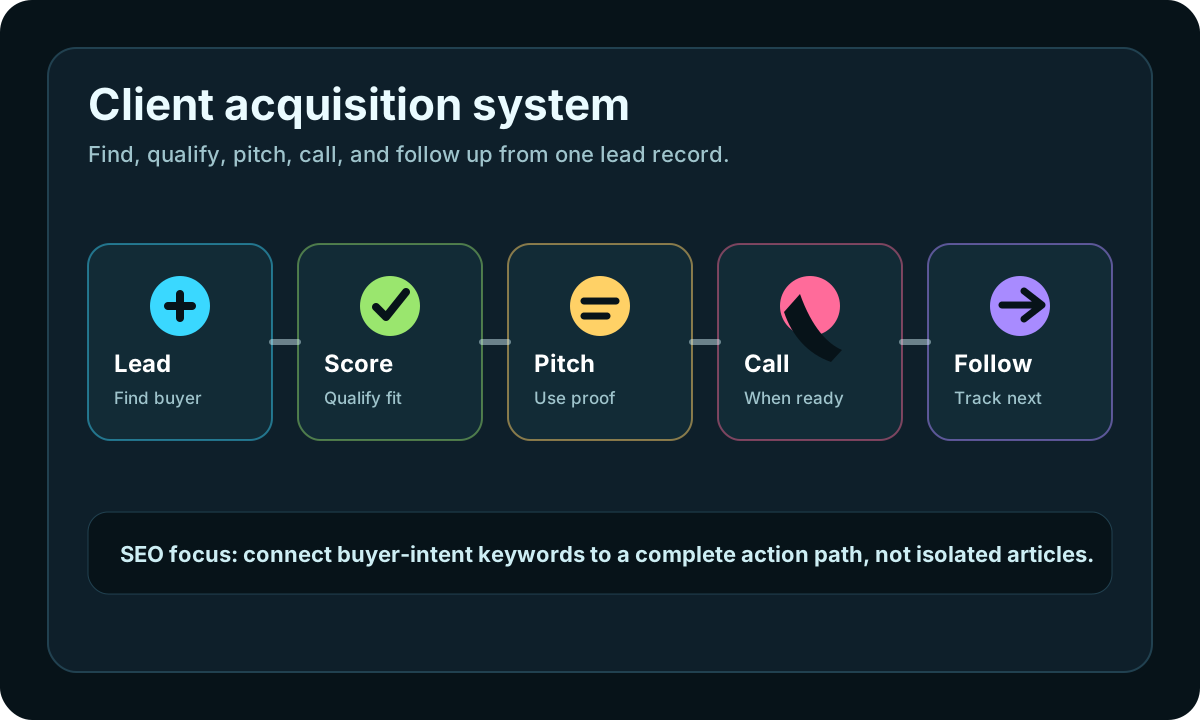
Turn the article into a lead workflow
Use the idea from this guide to find prospects, save only the best opportunities, prepare a specific pitch, and keep the follow-up attached to the original lead. Free users can start with 600 lead searches, then use the first saved lead as the test.
iCloseLeads Team
We study what works in freelance client acquisition so you don't have to. Subscribe for weekly insights.


