Softphone for Freelancers: Buy a US, Canada, or UK Number and Call Leads From One Workspace
How freelancers can use a dedicated business number, calling package, saved lead context, and respectful call workflow after finding prospects.

Call leads from a dedicated business number
Find the prospect, save the reason, then call from a professional workspace when a phone-first follow-up makes sense.
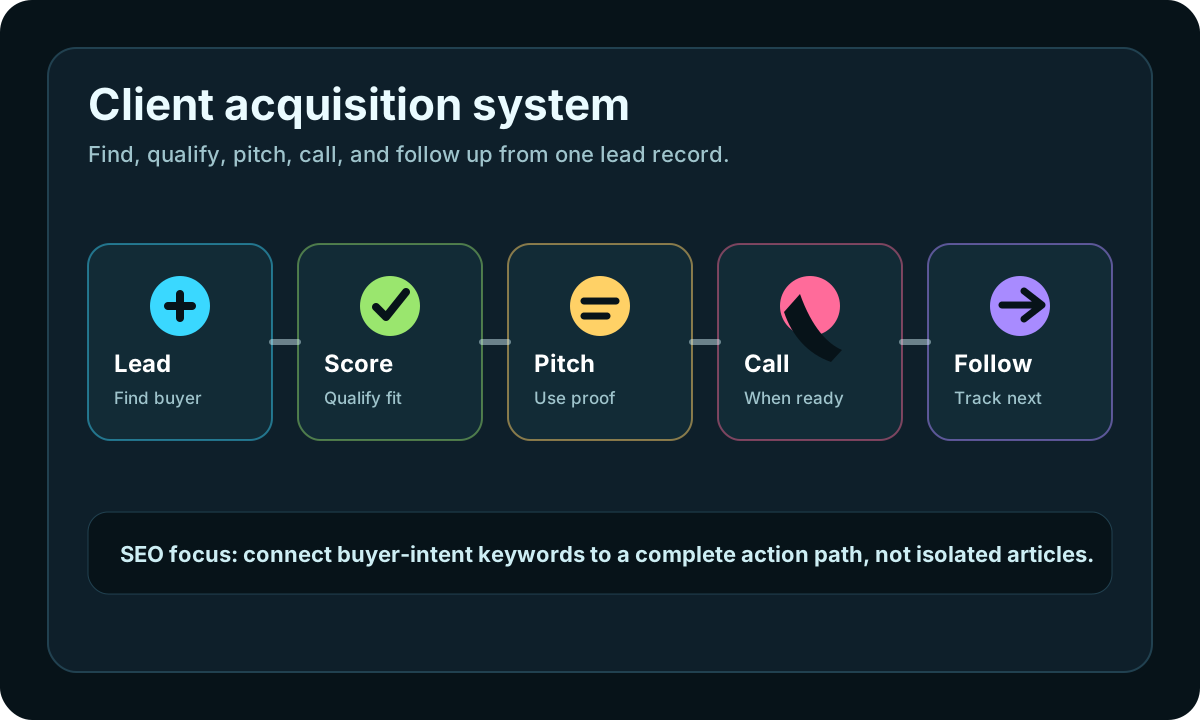
This page connects iCloseLeads SEO traffic to the product workflow: find the lead, save the proof, generate the next action, and keep follow-up measurable.
Start free and add calling later- 1Find the lead
Run a focused search by niche, city, buyer signal, or service need.
- 2Save the proof
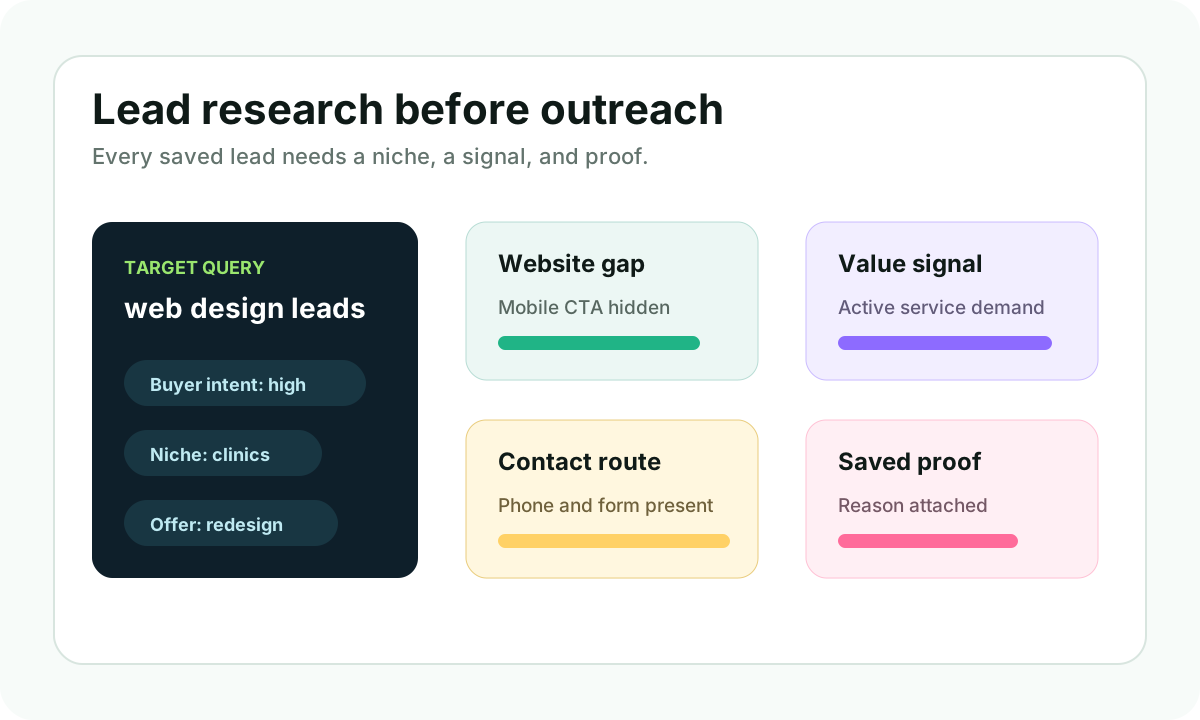
Keep the public website gap, contact route, and pitch reason attached to the lead.
- 3Choose the action
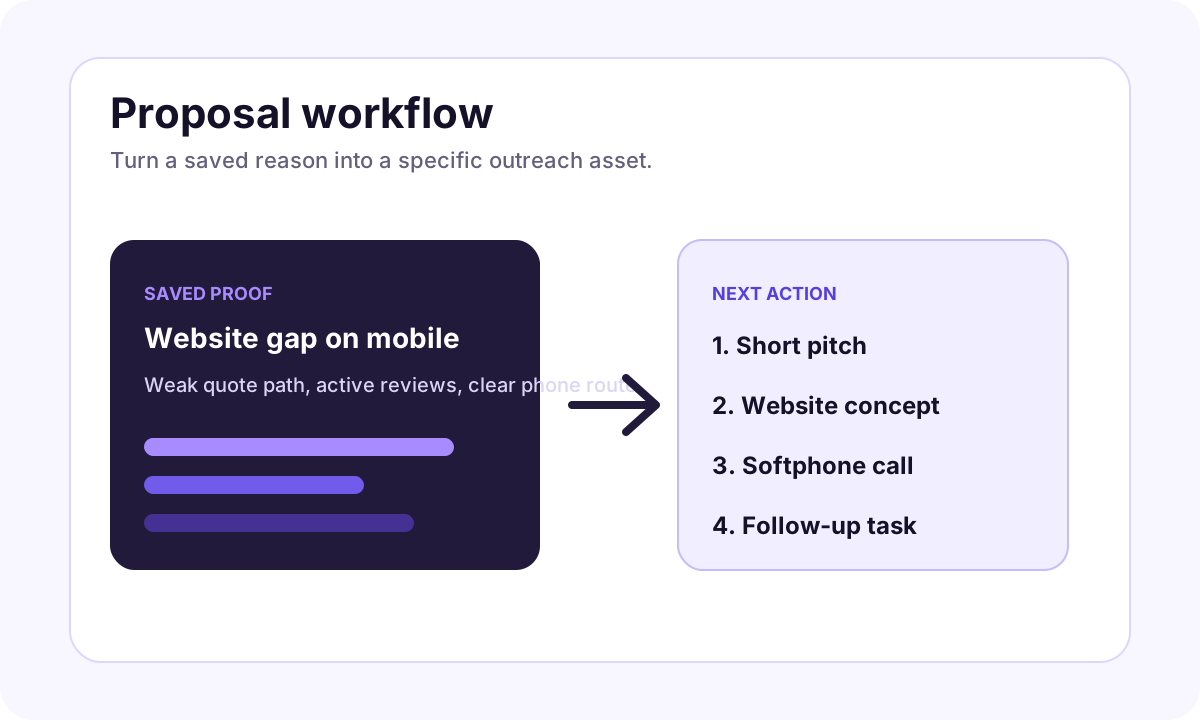
Create a website concept, prepare an email, or call through the softphone when appropriate.
- 4Track the result
Move replies, calls, follow-ups, and proposal status into the CRM instead of losing them in tabs.
Some freelance leads are better handled by email. Others are easier to qualify with a short professional call. The problem is that many freelancers still call from a personal number, lose the lead notes in another tab, or make the call before they understand why the prospect is worth contacting.
iCloseLeads now supports the stronger workflow: find the lead, save the proof, buy a dedicated US, Canada, or UK calling number when you need one, choose a monthly calling package, and call from the same workspace.
Quick answer
A softphone for freelancers lets you call prospects from a business number instead of your personal phone. In iCloseLeads, the softphone sits beside the lead record, so you can see the business, website gap, pitch note, and next step before you dial.
Who should use this
The softphone path is useful for web designers, local SEO consultants, marketing freelancers, appointment setters, and small agencies that work with local businesses. It is especially useful when the business already publishes a phone number and the offer is easier to explain in a short conversation.
Good examples:
- A roofing company with a weak quote path.
- A dental clinic with old service pages.
- A med spa with unclear booking flow.
- A contractor with strong reviews but no useful website.
- A local service business where the owner or manager route is phone-first.
Why this supports SEO and conversions
Search visitors do not only want a list of leads. They want to know what to do next. A page about softphone calling helps iCloseLeads own the full client acquisition system: lead search, qualification, proposal, email, call, and CRM follow-up.
That also improves the product story. iCloseLeads is not only a lead database. It is a workspace for turning a lead into a real conversation.
A safe calling workflow
Use calling carefully:
- Check that the business is active and relevant.
- Save the exact reason you are calling.
- Prepare one useful sentence about the opportunity.
- Call during reasonable business hours.
- Identify yourself clearly.
- Respect "not interested" and do-not-call requests.
- Log the result in CRM.
The call should feel like a helpful business introduction, not pressure. If the prospect is not the right person, ask who handles website, marketing, or growth decisions, then stop if they decline.
Example call opener
"Hi, I found your business while checking local website opportunities. I noticed one place where the website could make calls or quote requests easier. I am not calling to push anything today. Would it be okay if I sent a short three-point idea?"
That is enough. Keep it simple and respectful.
How it connects to the 600-free-leads offer
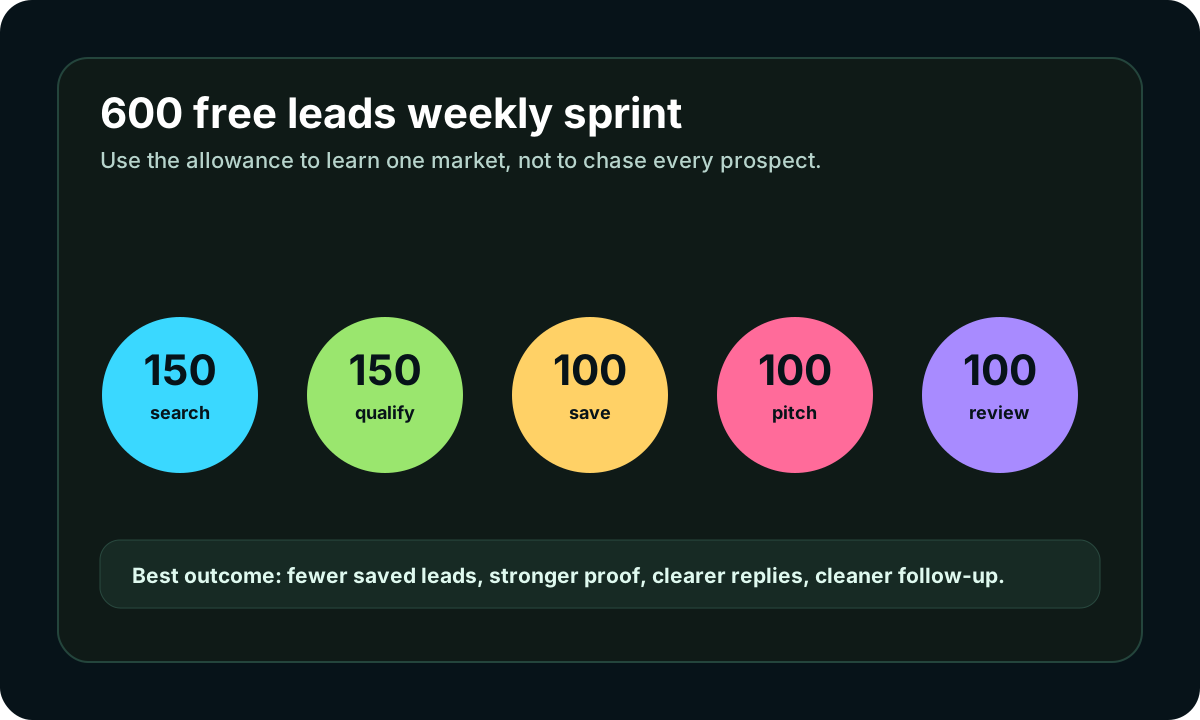
New users can use the 600-result free trial to find a focused group of prospects first. The softphone becomes useful after qualification, not before it.
Better sequence:
- Search one niche.
- Save 20 strong-fit prospects.
- Pick 5 where a call makes sense.
- Call only with a clear proof note.
- Move interested prospects into proposal or follow-up.
Useful iCloseLeads links
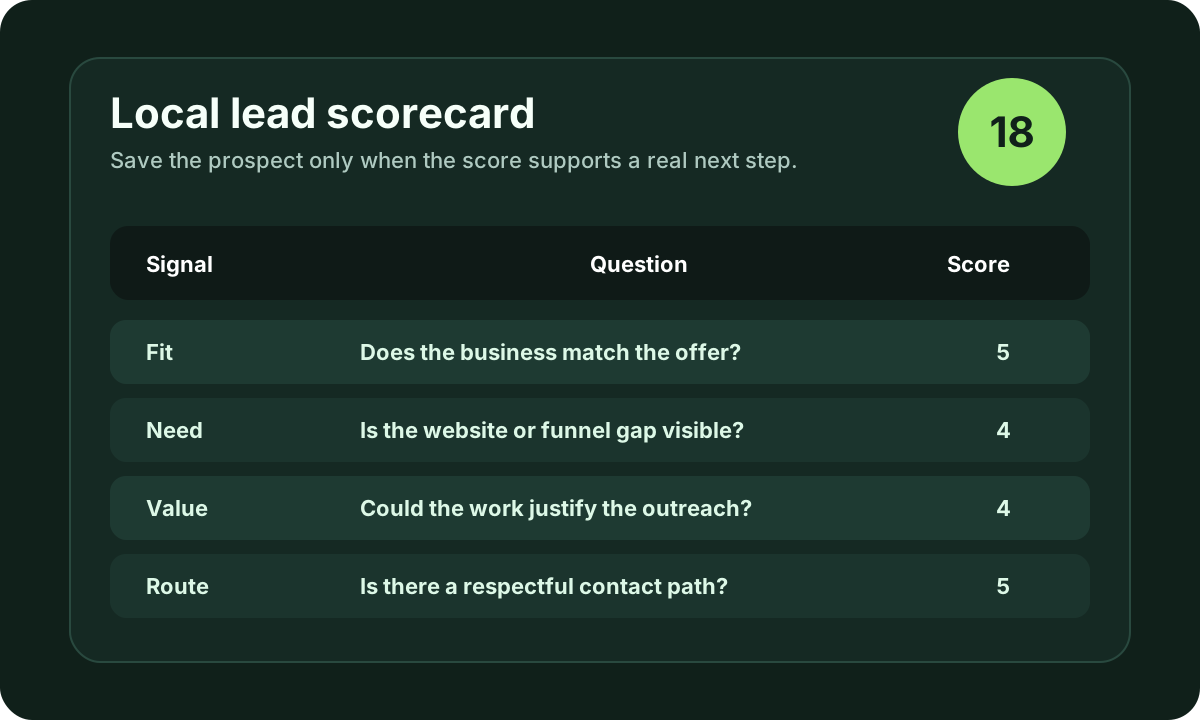
Start with lead discovery, qualify with the local business lead scorecard, prepare written outreach with AI proposals, and use the softphone feature when calling is the right next step.
Visual workflow
See the system before you build it
Turn the article into a lead workflow
Use the idea from this guide to find prospects, save only the best opportunities, prepare a specific pitch, and keep the follow-up attached to the original lead. Free users can start with 600 lead searches, then use the first saved lead as the test.
iCloseLeads Team
We study what works in freelance client acquisition so you don't have to. Subscribe for weekly insights.


