Prompt-to-Website Design for Client Pitches: Turn a Lead Into a Visual Concept
A practical workflow for turning a saved local business lead into a prompt-based website concept that helps freelancers pitch with proof.

Turn a saved lead into a website concept
Find the prospect, save the gap, and generate a website direction you can use in a clearer client pitch.
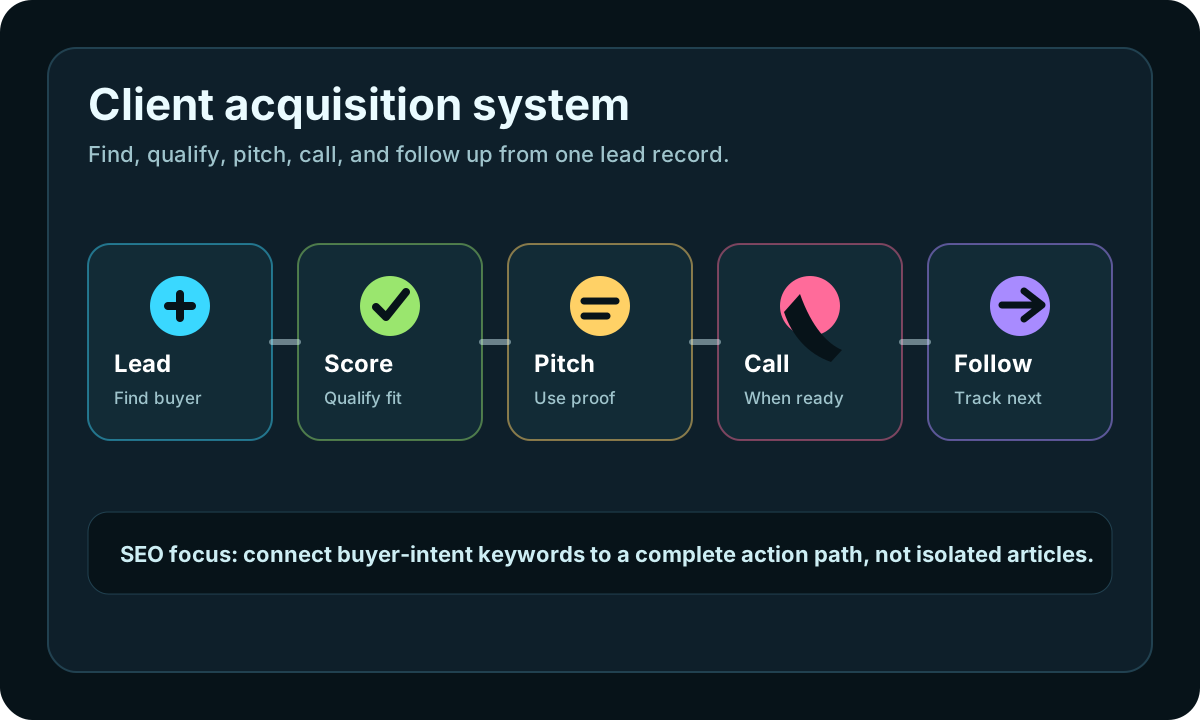
This page connects iCloseLeads SEO traffic to the product workflow: find the lead, save the proof, generate the next action, and keep follow-up measurable.
Create a website concept- 1Find the lead
Run a focused search by niche, city, buyer signal, or service need.
- 2Save the proof
Keep the public website gap, contact route, and pitch reason attached to the lead.
- 3Choose the action
Create a website concept, prepare an email, or call through the softphone when appropriate.
- 4Track the result
Move replies, calls, follow-ups, and proposal status into the CRM instead of losing them in tabs.
Web design outreach gets stronger when the prospect can see the idea. A freelancer can write "your website needs improvement" all day, but a simple visual concept tied to the business problem is easier to understand.
iCloseLeads includes a web design workspace that turns prompts and client requirements into a website direction. Use it after you find a lead with a visible website gap, not before.
Quick answer
Prompt-to-website design for client pitches means using the prospect's business type, location, current website issue, offer angle, and requirements to generate a shareable website concept. It helps freelancers move from "I noticed a problem" to "here is a clearer version of how this could work."
Best search intent to target
This feature supports several useful keyword clusters:
- AI website design generator for freelancers
- website mockup generator for client pitch
- web design proposal with mockup
- create website design from prompt
- website redesign pitch for local business
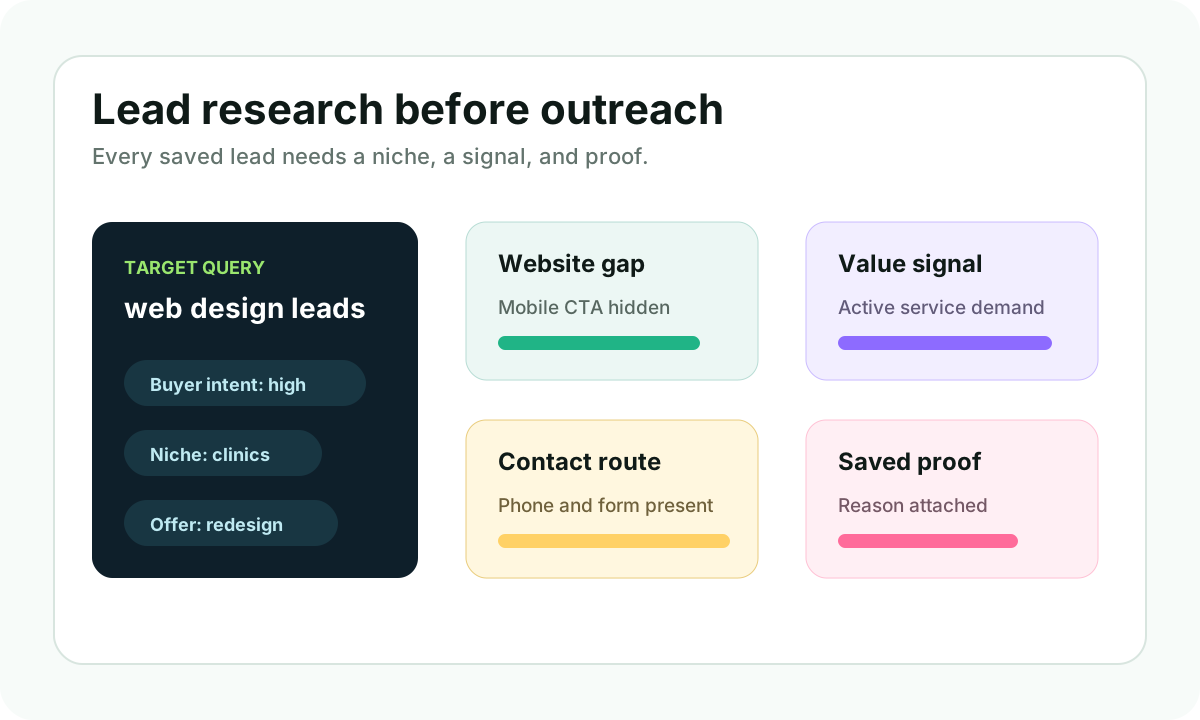
- web design leads with website gap
- AI web design tool for freelancers
The intent is practical. Searchers want clients, but they also need something persuasive to show those clients.
When to use the web design workspace
Use it when a saved lead has a clear website opportunity:
- No website attached to an active local business profile.
- A site exists, but the mobile booking or quote path is weak.
- Service pages are thin or missing.
- The visual proof is strong, but the website does not show it.
- Competitors explain the service better.
- The business has reviews, photos, and demand that could support a stronger site.
Do not use it as a random design toy. Use it as part of a focused acquisition workflow.
What to put in the prompt
A good prompt should include:
- Business type and city.
- Main customer action, such as call, quote, appointment, booking, or consultation.
- Visible website gap.
- Style direction, such as professional, premium, friendly, minimal, bold, or creative.
- Required sections.
- Proof available from public business details.
Example:
"Create a premium homepage concept for a med spa in Austin. Goal is consultation bookings. Current gap is unclear treatment pages and weak mobile CTA. Include hero, services, trust proof, treatment categories, before-after proof, membership offer, FAQs, and booking CTA."
How this improves outreach
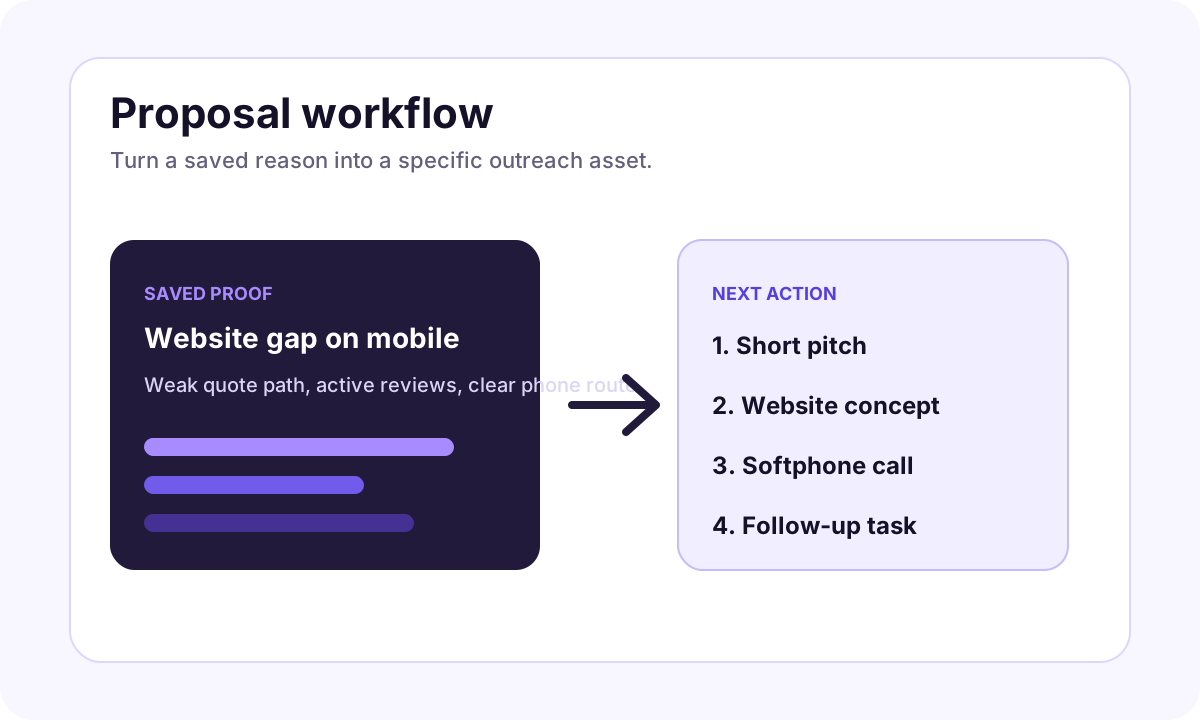
The strongest web design pitch has three parts:
- The observed business problem.
- A small, specific improvement idea.
- A visual or structural example the prospect can react to.
That is much better than a generic "we make modern websites" pitch.
Connect it to the full iCloseLeads funnel
Start with web design leads research, save the lead with a proof note, open the web design generator feature, then prepare the proposal with AI proposals. If the prospect is phone-first, use softphone calling after qualification.
The practical weekly sprint
Use the 600-free-leads allowance this way:
- Search one niche, such as dentists, med spas, roofers, remodelers, or family law firms.
- Save 20 prospects with visible website gaps.
- Generate 5 website directions for the best matches.
- Turn 3 into outreach-ready proposals.
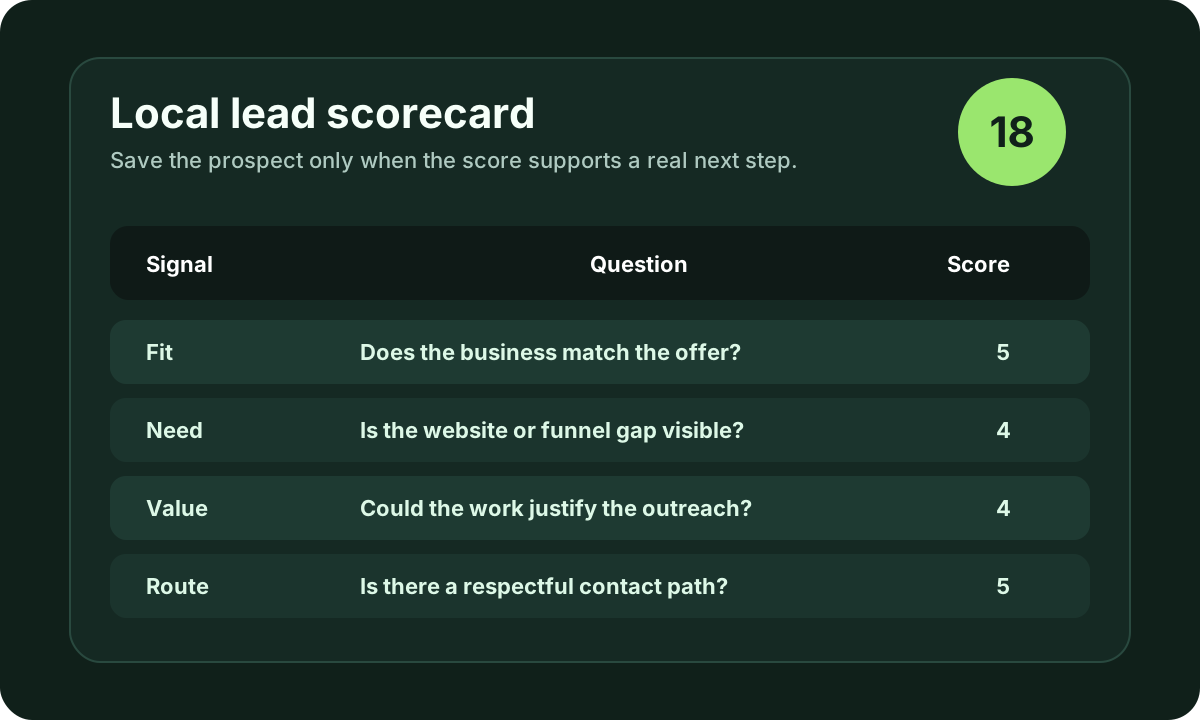
- Send or call only where the fit is clear.
That gives freelancers a repeatable way to turn lead research into a pitch that feels tangible.
Visual workflow
See the system before you build it
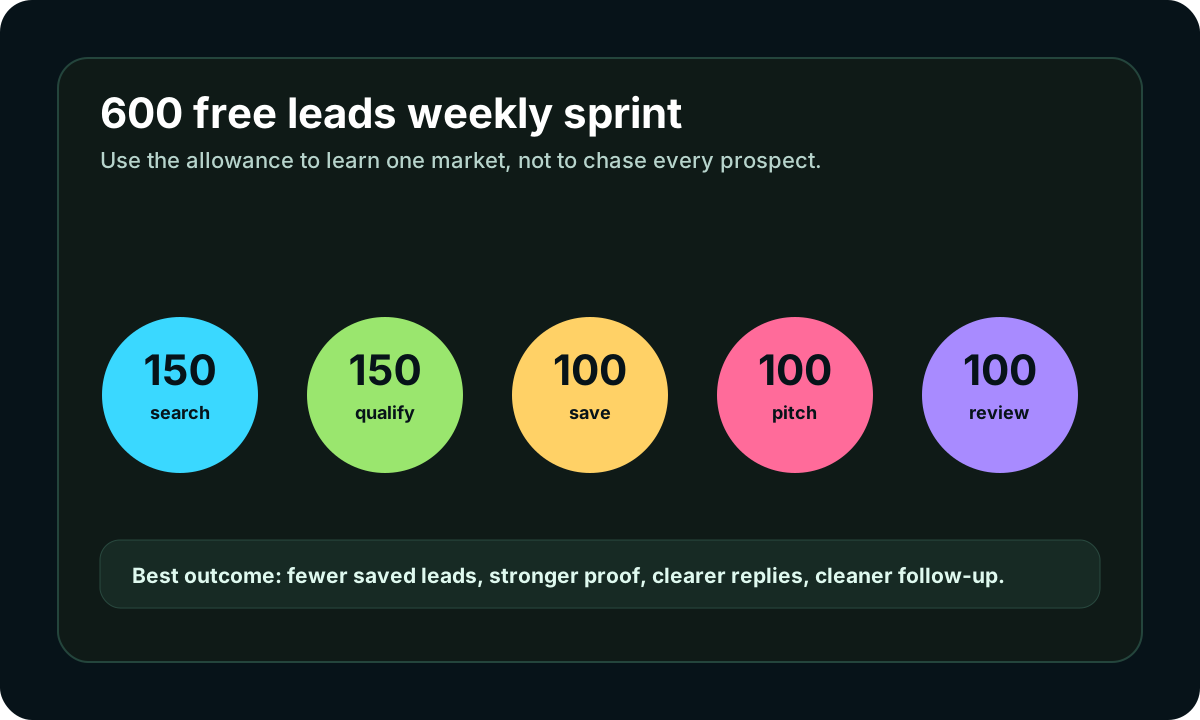
Turn the article into a lead workflow
Use the idea from this guide to find prospects, save only the best opportunities, prepare a specific pitch, and keep the follow-up attached to the original lead. Free users can start with 600 lead searches, then use the first saved lead as the test.
iCloseLeads Team
We study what works in freelance client acquisition so you don't have to. Subscribe for weekly insights.


