Local Business Prospecting Tool Workflow
How to use a local business prospecting tool without turning every search result into a weak outreach target.

Turn one search into qualified lead actions
Use iCloseLeads to search prospects, save proof-backed matches, build a website concept or proposal, call when appropriate, and track follow-up.
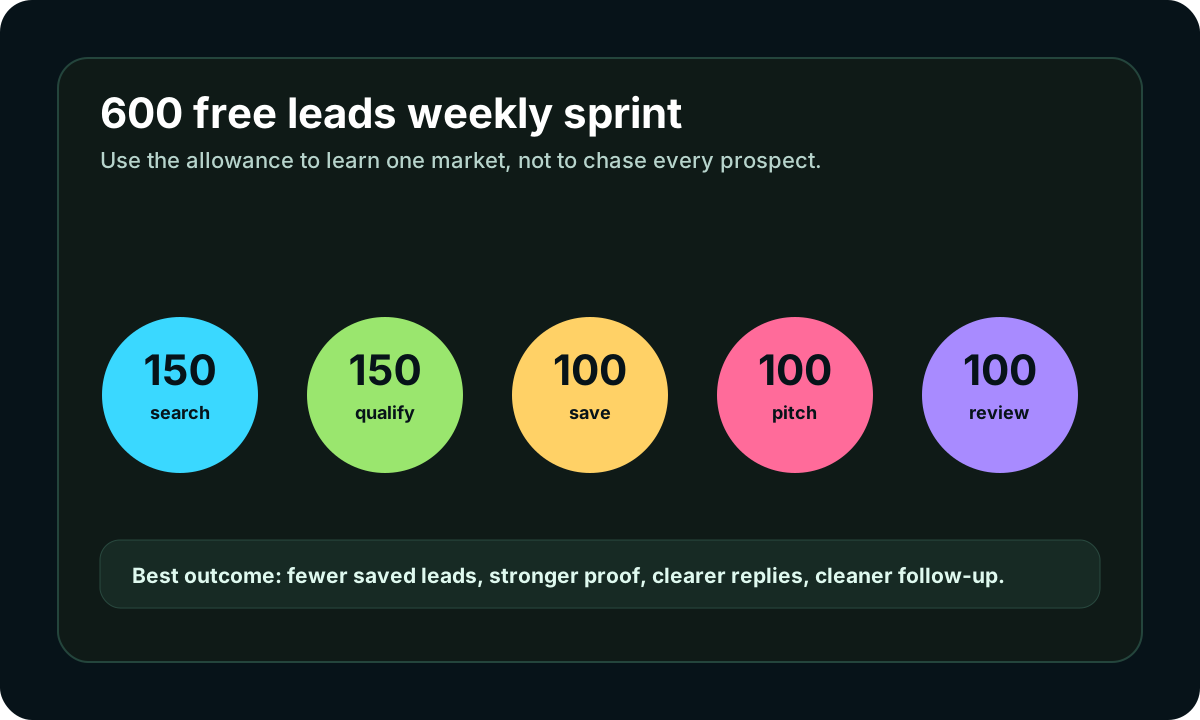
New accounts currently receive up to 600 lead results during the 3-day trial. Use them for qualification and follow-up, not mass outreach.
Start free with iCloseLeads- 1Choose one buyer
Pick one niche, city, or service offer before searching.
- 2Find visible proof
Save only prospects with a clear business signal and contact route.
- 3Create the next action
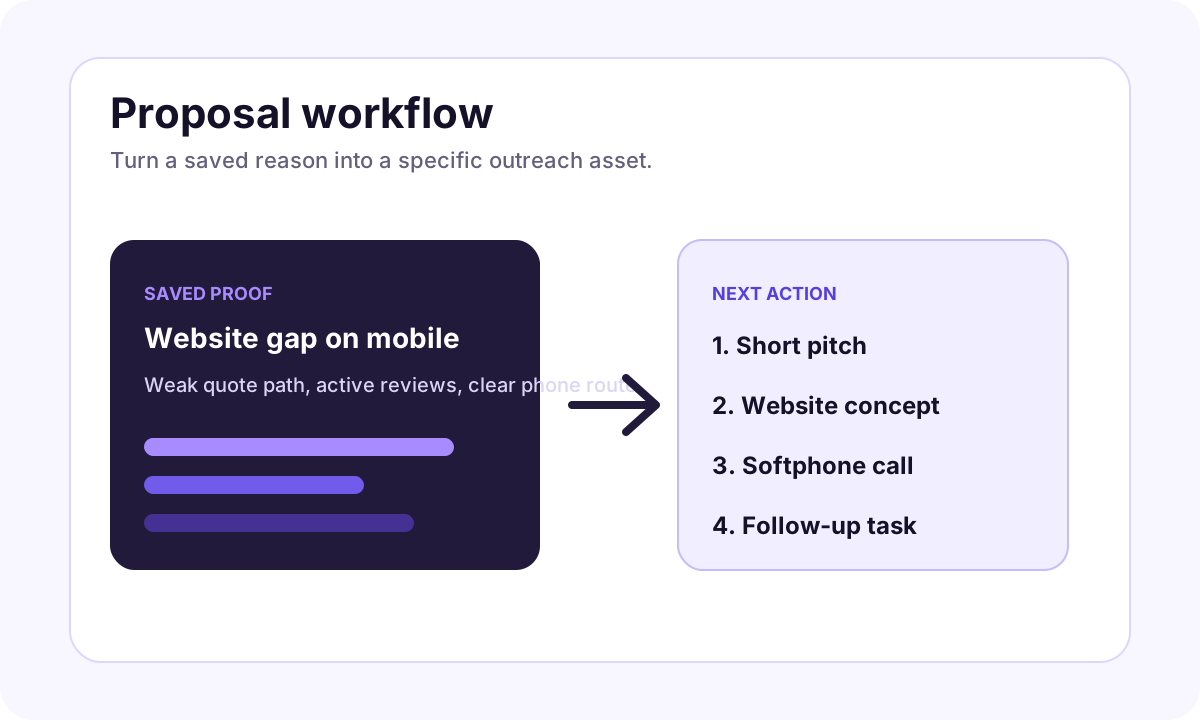
Use a proposal, website concept, softphone call, or CRM task.
- 4Review outcomes
Measure replies, calls, and booked opportunities before scaling.
A local business prospecting tool should help you make better decisions, not just export more names.
Short answer
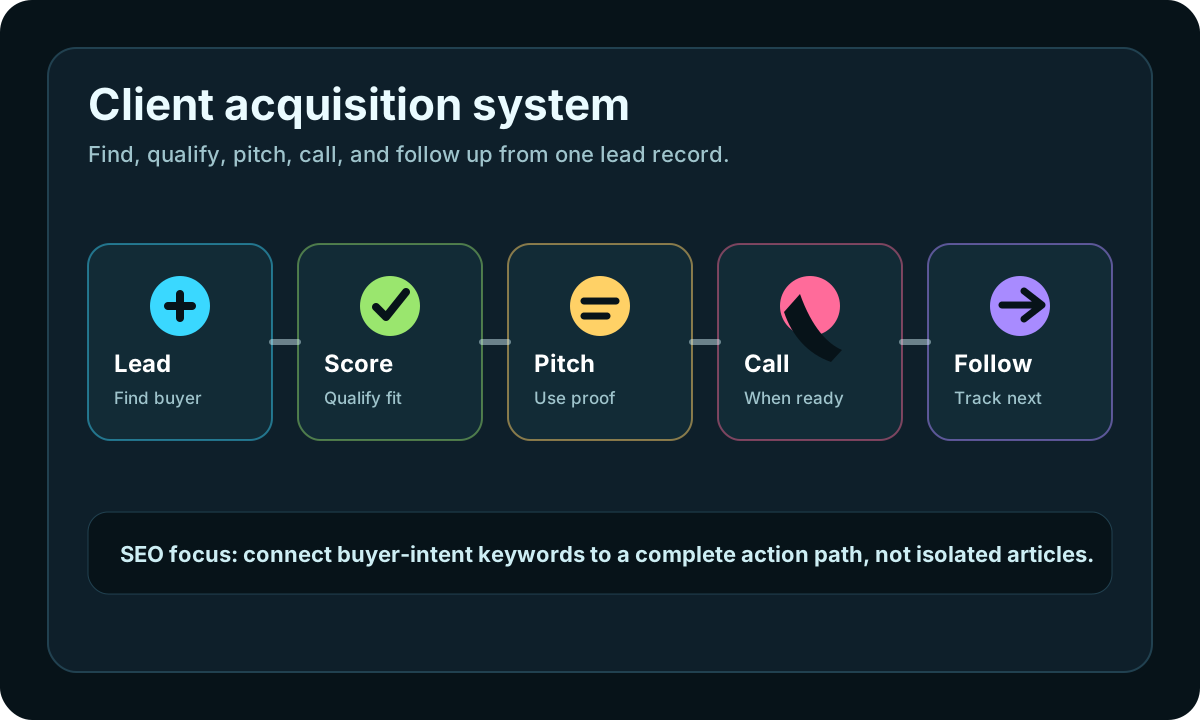
The best workflow is search, qualify, save proof, choose one action, and review outcomes. If the tool does not help you explain why a business is worth contacting, the list is not ready.
The prospecting workflow
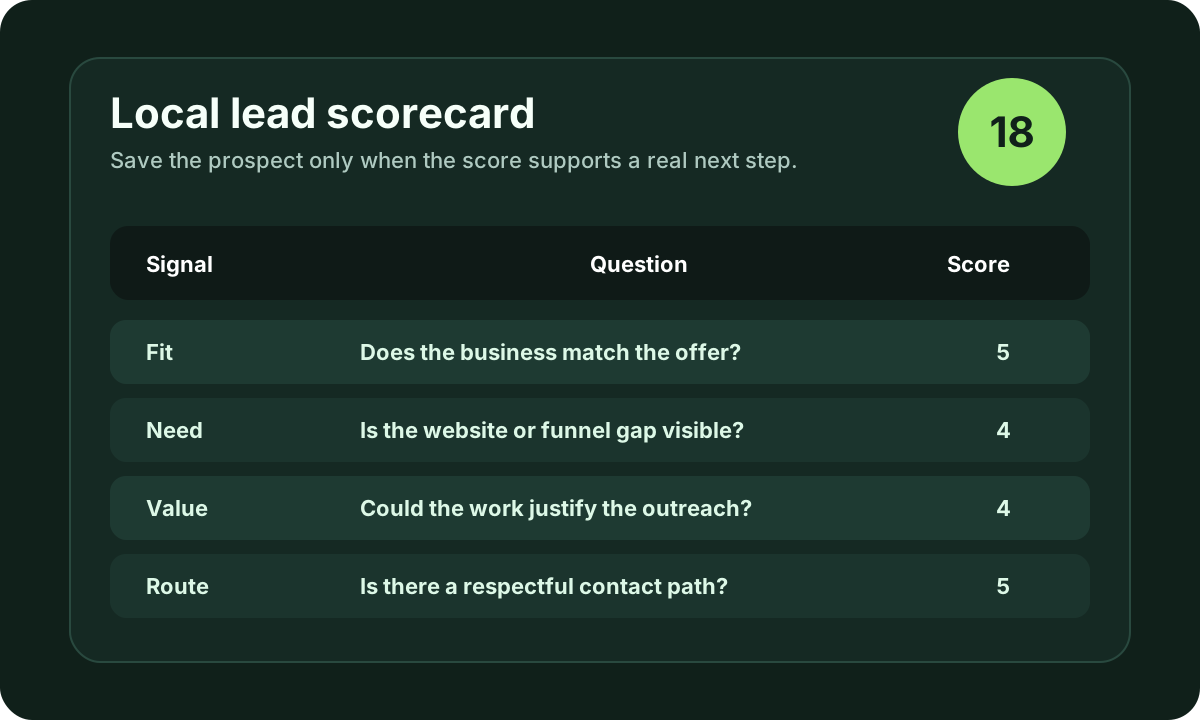
Start with one niche and one location. Search for businesses where your offer can create a visible improvement. Then qualify the prospect before outreach.
Useful proof includes:
- active reviews
- missing website
- weak mobile quote path
- outdated service pages
- unclear booking flow
- visible competitor gap
Match action to context
Use email when the message can be short and specific. Use a website concept when the visual gap is obvious. Use the softphone when a public phone route is normal for that business type. Use CRM follow-up when timing matters more than the first message.
iCloseLeads path
iCloseLeads keeps lead discovery, qualification notes, website concepts, AI proposals, softphone calling, and CRM follow-up inside one client acquisition workflow.
Visual workflow
See the system before you build it
Turn the article into a lead workflow
Use the idea from this guide to find prospects, save only the best opportunities, prepare a specific pitch, and keep the follow-up attached to the original lead. Free users can start with 600 lead searches, then use the first saved lead as the test.
iCloseLeads Team
We study what works in freelance client acquisition so you don't have to. Subscribe for weekly insights.


